Need help?
Do you have a question about the Pyle PLCMTR72 and is the answer not in the manual?
Details how connecting cameras to channels 1 and 2 affects image display, normal vs. reversed.
Lists the function of buttons 1-5 on the 7" display monitor for power, selection, and menu.
Explains connecting camera's 4-pin cables to extension cables and then to video monitors.
Illustrates flexible camera placement options on vehicles for optimal viewing.
Provides step-by-step instructions for securely mounting the monitor stand to a vehicle.
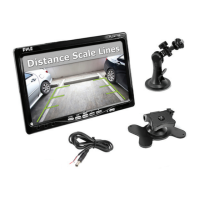
Details the PLCMTR72 system, including monitor, camera features, and voltage compatibility.
Lists monitor attributes: screen size, resolution, aspect ratio, brightness, and input jacks.
Outlines camera features: weatherproof rating, IR night vision, resolution, lens angle, and dimensions.
 General
| Brand | Pyle |
|---|---|
| Model | PLCMTR72 |
| Category | Automobile Electronics |
| Language | English |


 To Next Page