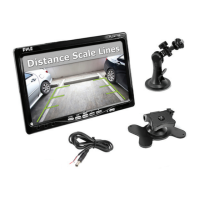
PLCMTR‐CommercialGradeCameraSystem
www.pyleaudio.com
Monitor Stand Mounting
1.Setthemountstandinthedesiredlocation,thenusescrewstosecurethemountstandintolocation.Pleasemakesureas
to set a location free from vehicle obstruction including any wiring, or location where it may obstruct the driver's view,
drivingconditions,etc.
2. Attach the metal
bucklepiece on top of the fan shaped mount stand, and slide it into the receiving slot in back of the
displaymonitorassembly.Thismetalbuckleshouldslideinanduptothemonitorassembly.
3.Setthedesiredposition/heightofthebuckleintothemonitorassembly.
4.Tightenthe
clamp‐styleknobinthebackofthestandmounttosecurethemonitorinthedesiredposition.
5.Theangle/tiltpositionofthestandmountisalsoadjustable.Locatedtowardthebaseofthestandmountisanother
clamp‐styleknob.



 To Next Page