PLCMTR‐CommercialGradeCameraSystem
www.pyleaudio.com
Wiring & Connection
Pleasenote,incoldweatherandtemperatures,the
displaymonitormayrequiresometimeto'warmup'
toclearlydisplayapicture onthedispla y.
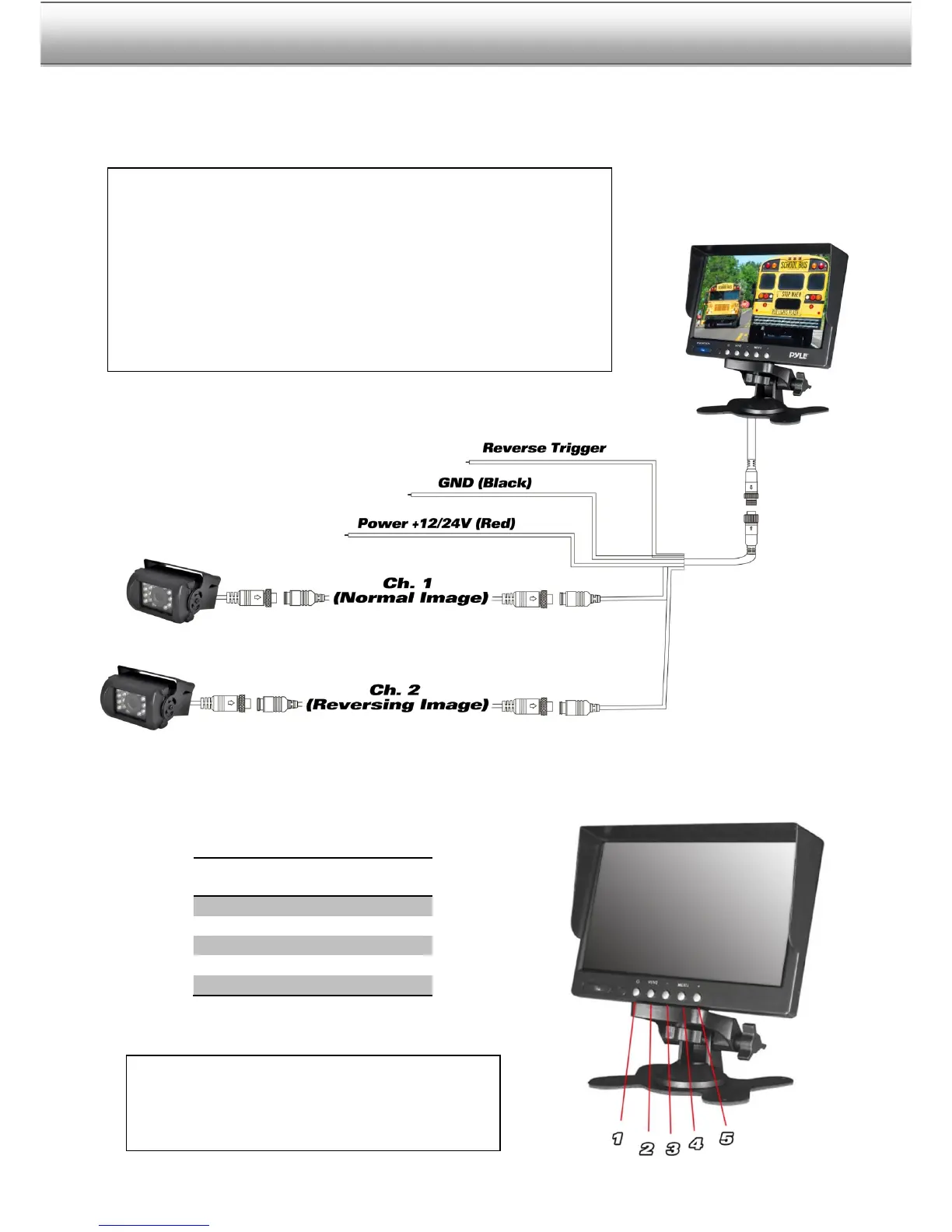
When the first camera is connected to Ch. 1 via the power video and
wiring harness, it will display the video as a normal picture, as seen
throughthelensofthecamera.
Adversely, the second camera, when connected to Ch. 2, the video will
bedisplayedasbeingreversed.The
reversedimageprovidestheviewer
with a preferable view so the camera can be placed in the rear of the
vehicle



 To Next Page