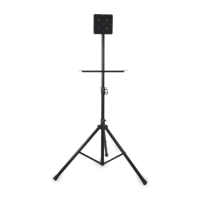
1. Familiarize yourself with the tripod.
Note that knob (a) is for raising and lowering
the T-bar, knob (b) is for opening and closing
the tripod legs, and bar (c) secures the t-bar
in place.
2. Next, prepare the support brackets.
Remove the screws, washers, and nuts.
Unscrew the knob. Then snap the bracket
onto the t-bar.
3. Repeat this process for the next support
bracket. Snap it on to the other side of the t-
bar. When reinserting the knob, make sure
not to tighten too much, as you’ll need to
adjust their position to line up with the laptop
plate.
4. Line up the two support brackets with the
screw holes on the laptop plate. Insert each
of the four screws.



 To Next Page