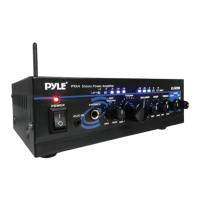
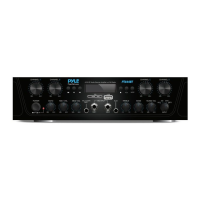
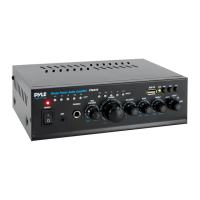
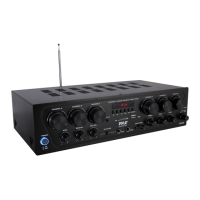
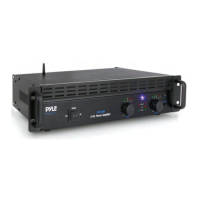
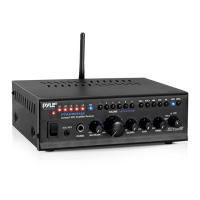
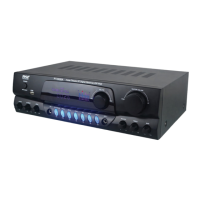
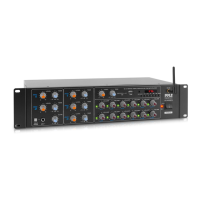
This document describes the Pyle PTA42BT Compact Wireless BT Home Audio Amplifier, a 4-channel audio source stereo receiver system designed for home and office use. It integrates an FM radio, MP3/USB/SD/AUX playback, and wireless BT streaming, offering a versatile solution for amplifying music or vocal programs in various settings such as meeting halls, houses, restaurants, schools, and stores.
Function Description
The Pyle PTA42BT amplifier provides power and versatility for a professional sound system. Its wide frequency response makes it suitable for amplifying both music and vocal program material. The amplifier features four independent channels, each with its own volume control, allowing for precise adjustment of audio levels for connected inputs.
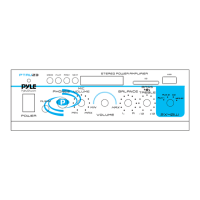
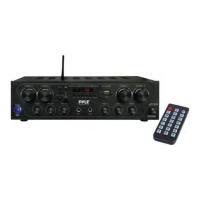
The front panel of the amplifier includes controls for various functions. There are dedicated knobs for ECHO control, MIC 1 VOL, and MIC 2 VOL, enabling users to adjust microphone echo and volume levels for karaoke or public address applications. Two 1/4" input jacks are provided for connecting karaoke microphones. Bass and treble tone controls allow users to boost or attenuate these frequencies to achieve the desired sound. A master volume knob controls the overall audio system volume.
For audio input, the amplifier offers multiple options. It has an audio source switch to select between AUX1 input, AUX2 input, BT/FM/USB/SD. Line input AUX/CD IN jacks are available for connecting MP3 devices, PCs, laptops, walkmans, iPods, and mobile phones. RCA L/R LINE input jacks are also provided for connecting desired LINE input sources. The amplifier supports MP3 digital audio files and features a USB charge port and USB reader function, allowing for smartphone charging and playing media from USB drives. An SD/MMC socket is included for playing content from SD/MMC cards.
The amplifier incorporates a blue LED display window for MP3/Bluetooth functions, providing visual feedback on the current mode and track information. A headphone control with a 3.5mm input jack and independent rotary volume control allows for private listening.
A unique feature is the microphone talk-over function, which is switch-activated and allows for direct audio integration with MIC1, useful for announcements or voice-overs.
For output, the amplifier includes push-type speaker L/R terminals for connecting speaker wires directly. It also provides stereo subwoofer output terminals for connecting to a subwoofer system and stereo recording function output for recording audio.
The amplifier is equipped with a 110V/220V switch, allowing it to adapt to different power voltages. It also features a wireless BT antenna and FM antenna for wireless BT streaming and FM radio reception.
The remote control provides convenient access to various functions, including power ON/OFF, OPEN/CLOSE MP3 player, FM scan and memory frequency selection, next/previous song, volume increase/decrease, repeat song, mode control (USB/BT/FM/LINE IN), equalizer, play/pause, and number buttons for song selection.
Usage Features
The Pyle PTA42BT is designed for ease of use. To power on, users simply use the main power ON switch. The independent channel volume controls allow for fine-tuning of individual audio sources. The various input options make it compatible with a wide range of external devices.
Wireless BT streaming is a key feature, allowing external devices with built-in BT to connect wirelessly. The pairing process is straightforward: power on the amplifier, turn the volume low, ensure the BT antenna is connected, press the BT/Line button on the front panel, wait for the "POWER ON" and "PAIRING" voice prompts, turn on BT on the external device, search for "PYLE PRO" on the device's BT networks, and once connected, the "Your Device is Connected" voice prompt confirms successful pairing. Users can then play music from their external device through the amplifier.
The FM radio tuner with a digital LCD display allows for easy station selection and viewing. The front panel button control center provides direct access to audio source input mode selection and playback controls.
The built-in microphone talk-over function (MIC1) simplifies public address tasks, automatically lowering background music when the microphone is in use.
Maintenance Features
Proper care ensures years of trouble-free service from the Pyle amplifier. It is recommended to keep the amplifier dry and wipe it immediately if it gets wet. The amplifier should always be used in well-ventilated installations to prevent overheating. It's important to handle the amplifier away from dust and dirt.
For cleaning, occasionally wipe the amplifier with a damp cloth to keep it looking new. Harsh chemicals, solvents, or detergents should not be used as they can damage the finish.
In case of a power issue, such as the amplifier suddenly turning off or not turning on, it may indicate a blown fuse. To replace the fuse:
- Allow the amplifier to cool down and check if it starts again before assuming a fuse replacement is needed.
- Unplug the amplifier from the AC outlet.
- Turn the fuse holder cap and pull it out.
- Remove the old fuse and replace it with an identical one.
It is crucial to never use a fuse with a higher rating than specified.
Troubleshooting tips are provided for common issues:
- NO POWER: Check the amplifier's fuse and replace it if necessary.
- NO SOUND: Ensure sound source or speakers are properly connected. Adjust the master volume control to a higher setting.
- Feedback: Reposition the microphone and speakers if they are too close together.
- Amplifier shutting down/powering off: Turn the amplifier off, let it cool, ensure proper ventilation, and then turn it back on.
- Speaker's wire might have the wrong impedance: Make sure the speakers connected to the amp match the impedance.
The amplifier also includes short circuit and over voltage protection, contributing to its durability and safety.


 To Next Page
 General