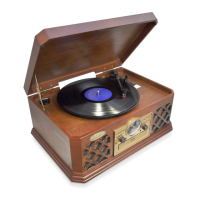
PHONO OPERATION
Turn the VOLUME CONTROL clockwise until a “click” is heard.
Set the FUNCTION SWITCH to "PHONO" POSITION.
Place a record on the turntable surface.
Note: First insert the 45 rpm adaptor in the center of the turntable then place the record -- if your record
requires the 45 rpm adaptor to play.
1. Once your record is in place, set the SPEED SELECTOR to 33 ⅓ , 45 or 78 RPM according to the
size of the record you are wanting to play.
2. Taking out the stylus guard of the tone arm first, then place the electric tone arm on the record
carefully.
3. Adjust the VOLUME CONTROL to obtain the desired sound level from the Speakers.
4. To stop operation, carefully lift up the TONE ARM and return it to TONE ARM-REST.
PyleAudio.com


 To Next Page