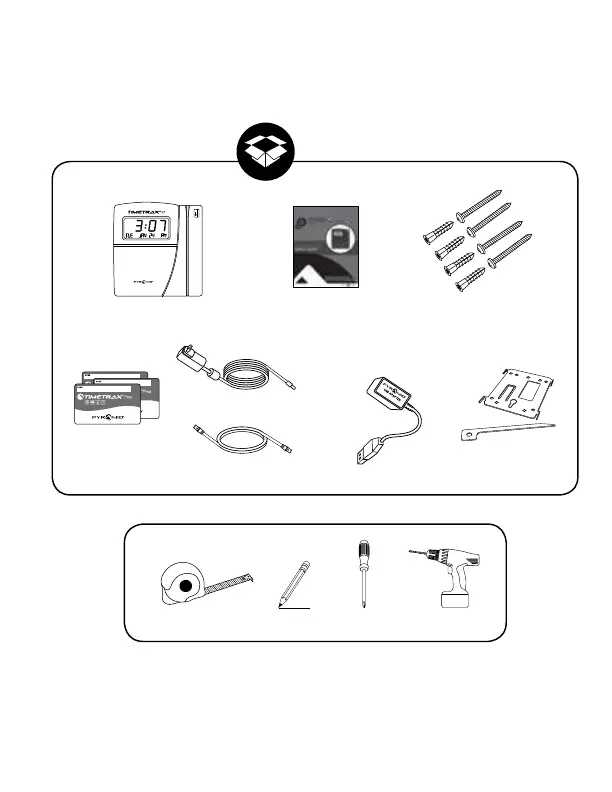
What you will need.
6
To mount terminal.
• Install mounting brackets with tabs. Using
provided mounting screws and drill template.
Be sure the four metal tabs are facing upward.
• Additional holes are provided if mounting onto
an electrical box.
• Push terminal onto mounting bracket aligning
four tabs on bracket with four matching slots
on back of terminal. Be sure to write down
the terminal serial number before mounting,
slide terminal downward until locking tab
clicks into place. When properly mounted,
terminal cannot be removed from the bracket
without using the included wall bracket release
key to disengage locking tab.
• Cables may be rooted through channel at base
of terminal or by drilling a hole in the rectan
gular section of the mounting bracket and
through the wall for concealing cables.
To detach terminal.
• Insert key (tab facing outward) into narrow slot
located on bo
ttom of terminal to right of cable
access cutout.
• Push key all the way up into slot. Key will slide
easily until last ½ inch until some resistance
from locking tab is felt.
• With key fully pushed into slot, slide the termi
-
nal up and off mounting bracket.
Mount Terminal



 To Next Page