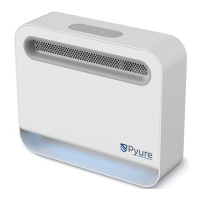
Pyure Mini
TM
Owner’s Manual
5
Operating Instructions
POWER ON/OFF
The main power for the Pyure Mini™ can be turned ON or OFF by pressing the power button.
FAN SPEED
The Pyure Mini™ is equipped with an air mover fan, which runs between 5-16ft/m [0.14-0.45m/h].
In order for the fan to turn on, use the / buttons to increase or decrease the fan speed.
GENERATOR
The Pyure Mini™ is equipped with one hydroxyl generating optic. In order for the optic to turn on,
the power button must be turned on.
LED
Use the button to increase/decrease blue LED status light.*
MAINTENANCE INDICATOR
The maintenance indicator will flash when the purifier’s optic is nearing end of life and will stay illuminated in the
event of optic or system failure.
OPTIC COUNTER RESET
To reset the optic counter after installing replacement optic: + hold for 3 seconds.
LOCKOUT STATUS
To lock the purifier: hold for 3 seconds.
*LED light is aesthetic only and not the UV Optic.
OPERATING INSTRUCTIONS
Decrease
Fan Speed
Power
Button
Blue LED DimmerIncrease
Fan Speed
Lockout Status
Maintenance Indicator



 To Next Page