EasyManua.ls Logo

Q-See QC818 - User Manual

Q-See QC818
46 pages
Print Icon
To Next Page IconTo Next Page
Loading...
1
H.264 NETWORK VIDEO RECORDERS
720P and 1080P Recording Options
User Manual
QC SERIES
NVRS
ESCFNRECSHIFT
ENTER
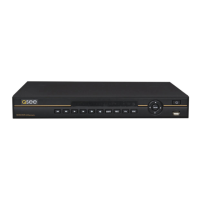
POWERHDD1 2 3 4 5 6 7 8 9 10 11 12 13 14 15 16 NET
QC828 NVR 8 Channels

Questions and Answers

  • J
    Jonathan HowardAug 20, 2025
    Why does my Q-See QC818 Network Hardware often automatically shut down or stop running?
    • B
      Brian GrantAug 20, 2025
      Your Q-See Network Hardware might be shutting down due to several reasons: * Unstable or low input voltage. * Hard drive malfunction or cable issues. * Insufficient power. * Unstable front video signal. * Overheating or excessive dust. * System board malfunction.
  • M
    mcampbellAug 22, 2025
    How to fix distorted video when searching local records on Q-See QC818?
    • A
      Amanda OlsonAug 22, 2025
      If the video is distorted when searching local records on your Q-See Network Hardware, it could be due to the video quality setting being too low. Also, restarting the NVR might solve a program read error where the bit data is too small.
  • J
    Jamie BurchAug 25, 2025
    What to do if Q-See Network Hardware cannot detect hard drive?
    • A
      Anna GarciaAug 25, 2025
      If your Q-See Network Hardware isn't detecting the hard drive, it could be due to: * No hard drive being installed. * A damaged hard drive. * A loose hard drive cable connection. * A damaged main board SATA port.
  • M
    Morgan LoweAug 26, 2025
    What to do if I cannot search local records on Q-See QC818?
    • D
      Dennis NormanAug 27, 2025
      If you can't search local records on your Q-See Network Hardware, the HDD ribbon might be damaged, or the HDD has failed. Also, the recorded file may have been overwritten, or the record function has been disabled.
  • J
    James Rivera DDSAug 28, 2025
    Why is there no video output to one or more channels on my Q-See QC818?
    • M
      Mary GomezAug 28, 2025
      If there is no video output to one or more channels on your Q-See Network Hardware, it could be due to several reasons. If the brightness is set to 0, please restore factory default setup. It can also be because of updated firmware using the wrong file, no video input signal or a weak signal, privacy mask setup, or combo NVR hardware malfunctions.
  • M
    Madeline McintyreAug 29, 2025
    How to fix Q-See Network Hardware burn error or USB backup error?
    • M
      Michael LaneAug 29, 2025
      If you're experiencing a burn error or USB backup error with your Q-See Network Hardware, try stopping the recording first and then begin the backup, as the system might be using too much CPU resources. It may also result in burner error if the data amount exceeds the backup device capacity.
  • T
    Tyler ThomasAug 31, 2025
    Why is the time display not correct on my Q-See QC818?
    • A
      angelabakerSep 1, 2025
      If the time display is incorrect on your Q-See Network Hardware, it could be due to incorrect setup. If the battery contact is not good or the voltage is too low, replace the battery. It could also be because the crystal is broken.
  • T
    Thomas JohnsonSep 2, 2025
    How to fix no audio when monitoring with Q-See QC818 Network Hardware?
    • U
      ulopezSep 2, 2025
      If there is no audio when monitoring with your Q-See Network Hardware, make the channel you want to hear audio on full screen. It also could be because the audio cable is damaged or the combo NVR hardware malfunction.
  • C
    Christopher DoyleSep 4, 2025
    Why is there audio when monitoring but no audio when Q-See QC818 Network Hardware system plays back?
    • J
      Joseph BradshawSep 4, 2025
      If there is audio during monitoring but not during playback on your Q-See Network Hardware, enable the audio function in the settings. Also, the corresponding channel might not have any audio input.
  • J
    johncalhounSep 6, 2025
    How to resolve unstable network connection on Q-See QC818 Network Hardware?
    • N
      Natalie CarterSep 6, 2025
      If your Q-See Network Hardware has an unstable network connection, it could be due to an unstable network, IP address conflict, MAC address conflict, or a faulty PC or combo NVR network card.

Summary

About This User Manual

1. Introduction

Features and Specifications

Details the product's technical capabilities and design.

2. Connections and Controls

2.1 Connections

Explains how to connect the NVR and its components.

3. Basic Operation

3.1 Operation

Covers the fundamental steps for using the NVR system.

4. Menus

4.1 Main Menu

Introduces the main menu structure and available submenus.

5. Pan;Tilt;Zoom Cameras

5.1 Connecting a PTZ Camera

Guides on how to physically connect PTZ cameras to the NVR.

6. Alarms

6.1 Alarm Input

Details how to connect external alarm devices to the NVR.

7. Hard Disk Drive

7.1 Installation;Removal

Instructions for installing or replacing the NVR's hard disk drive.

Appendix

A.1 Troubleshooting

Provides solutions for common NVR operational problems.

Q-See Product Warranty

Liability Exclusions

Lists conditions not covered by the product warranty.

Q-See QC818 Specifications

General IconGeneral
Channels8
HDD Bays1
Max HDD Capacity6TB
USB Ports2 x USB 2.0
Video CompressionH.264
Network InterfaceRJ45
HDMI OutputYes
VGA OutputYes
Power Supply12V DC
Operating Temperature14°F – 131°F (-10°C – 55°C)

Related product manuals