Connect headset to Device A then turn o its Bluetooth and the
headset will auto turn connectable(LED blinks red and blue). On
Device B, search QCY H3 and tap to connect. Once again turn on
Bluetooth on Device A and connect it to the headset.
Power on headset and it will auto turn connectable. On phone, search
QCY H3 and tap to connect.(It will auto reconnect to the last device in
connectivity record, if any. If you need to make it turn connectable
again, power it o and press and hold MFB for 4s.)
LED
Factory Setting
Connect to computer
or adapter(5V 1A)
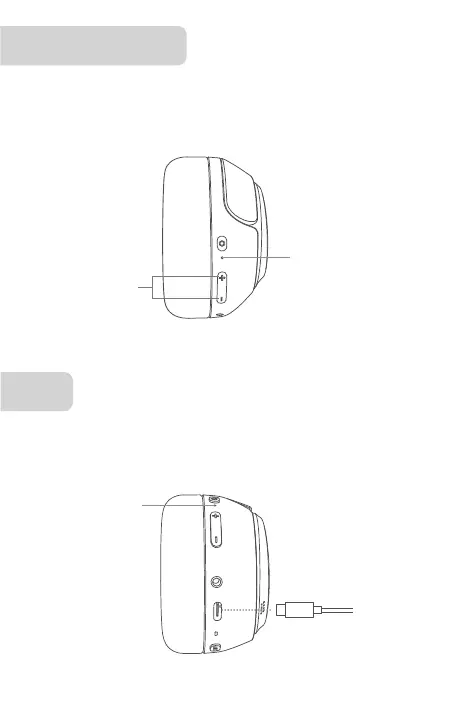
Power on headset, press and hold both volume + and - for 10s or until
LED blinks red 3 times to reset it factory. It will then auto turn connect-
able.
Press and hold
for 10s
LED blinks red 3 times
LED
Connected: LED blinks white every 10s
Charging: LED glows solid red
Top-up: LED glows solid white


 To Next Page