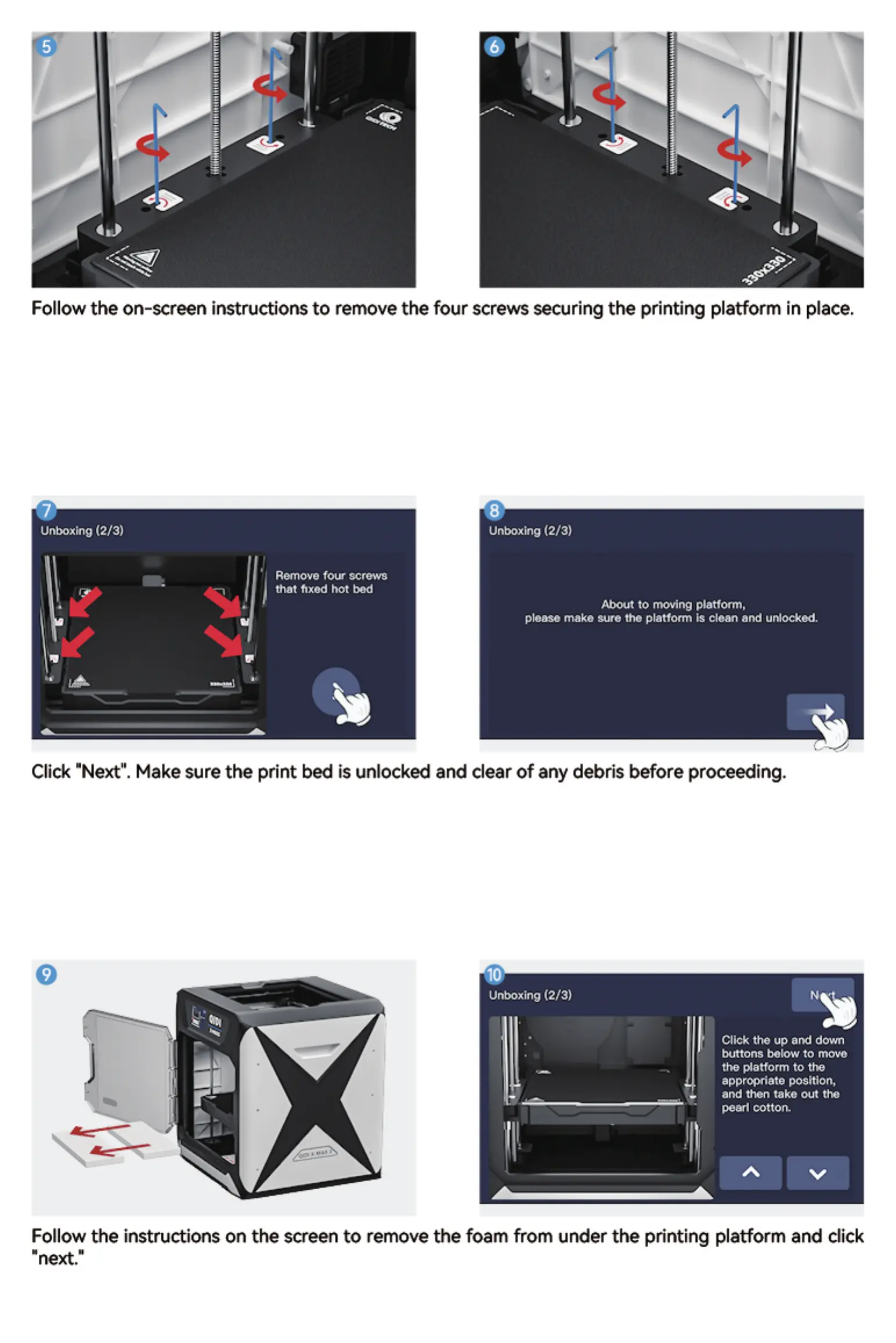
Follow the on-screen instructions to remove the four screws securing the printing platform in place.
Unboxing (2/3) Unboxing (2/3)
Remove four screws
that fixed hot bod
About to moving platform,
please make sure the platform is clean and unbelted
Click "Next". Make sure the print bed is unlocked and clear of any debris before proceeding.
Unboxing (2/3)
Click the up and down
buttons below to move
the platform to
appropriate position,
and fien take out the
pearl cotton.
Follow the instructions on the screen to remove the foam from under the printing platform and click
•next."


 To Next Page