Load Filament
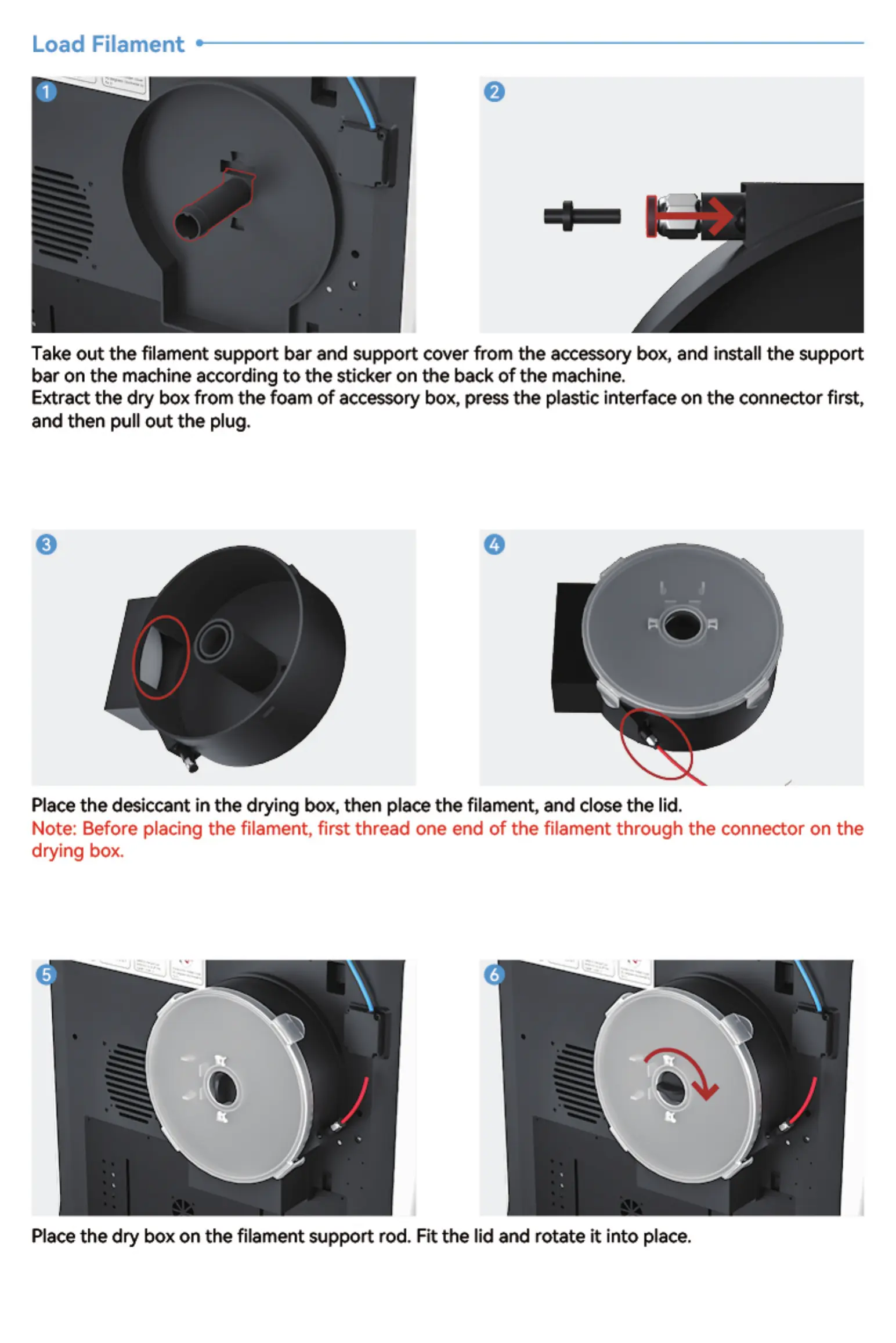
Take out the filament support bar and support cover from the accessory box, and install the support
bar on the machine according to the sticker on the back of the machine.
Extract the dry box from the foam of accessory box, press the plastic interface on the connector first,
and then pull out the plug.
Placethe desiccant in the drying box, then place the filament* and close the lid.
Note: Before placing the filament, first thread one end of the filament through the connector on the
drying box.
Place the dry box on the filament support rod. Fit the lid and rotate it into place.


 To Next Page