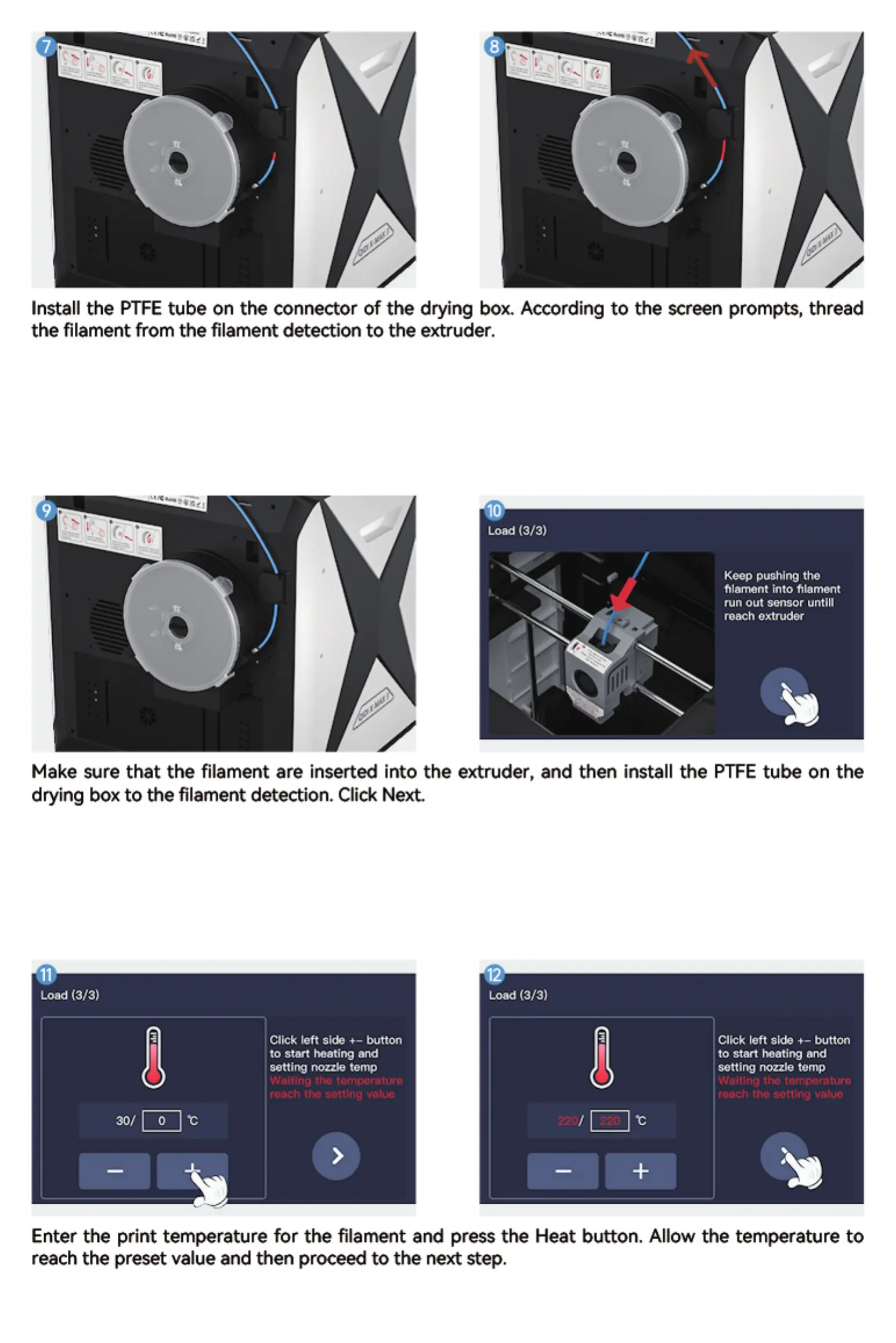
Install the PTFE tube on the connector of the drying box. According to the screen prompts, thread
the filament from the filament detection to the extruder.
Make sure that the filament are inserted into the extruder, and then install the PTFE tube on the
drying box to the filament detection. Click Next
Load (3/3) Load (3/3)
Click left Side +— button
to start beating and
setting nozzle temp
Waiting the temperature
reach thc setting value
220/
Click left Side +— button
to start heating and
setting nozzle temp
Waiting the temperature
roach thc setting
Enter the print temperature for the filament and press the Heat button. Allow the temperature to
reach the preset value and then proceed to the next step.


 To Next Page