EasyManua.ls Logo

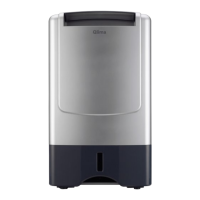
Qlima D 610 - User Manual

Qlima D 610
220 pages
Go to English
Print Icon
To Next Page IconTo Next Page
Loading...
D 610 - D 612
GEBRAUCHSANWEISUNG
BRUGSANVISNING
INSTRUCCIONES DE USO
MANUEL D’UTILISATION
ΕΧΓΕΙΡΙΔΙΟ ΧΡΗΣΗΣ
OPERATING MANUAL
ISTRUZIONI D’USO
BRUKSANVISNING
GEBRUIKSAANWIJZING
MANUAL DE INSTRUÇÕES
INSTRUKCJA OBSŁUGI
BRUKSANVISNING
NAVODILA ZA UPORABO
2
6
5
3
4
>
u
1
9
:
=
y
3
21
37
55
73
85
101
119
135
153
171
189
205

Questions and Answers

  • A
    Alex NavarroAug 4, 2025
    How to turn off the service light on my Qlima D 610 Dehumidifier?
    • C
      Connor MeyersAug 4, 2025
      If the service light is on, it could mean that the filter clean indicator light is lit because the service time has reached 168 hours. In this case, clean the filter and reset the service timer. Alternatively, if you've already cleaned the filter but haven't reset the service timer, press the timer button for 5 seconds while the machine is working. You'll hear a buzzer once, and the filter clean indicator light will blink 5 times.
  • K
    Kristen CollinsAug 14, 2025
    Why is my Qlima D 610 Dehumidifier not dehumidifying?
    • H
      hpowellAug 14, 2025
      Your Qlima Dehumidifier might not be dehumidifying because the water container is full. If so, remove the water from the container. Another reason could be that the water container hasn't been placed correctly; make sure it's in the correct position. Also, a clogged air filter can prevent dehumidifying, so clean the air filter. Finally, if the temperature or relative humidity in the room is too low, it's normal for the device not to dehumidify.
  • P
    Peggy LiAug 23, 2025
    Why Qlima D 610 Dehumidifier reduces the relative humidity insufficiently?
    • C
      Curtis ThompsonAug 23, 2025
      If your Qlima Dehumidifier works but doesn't reduce the relative humidity enough, it could be due to several reasons. The room might be too large, or there might be too many sources of humidity; in these cases, consider using a dehumidifier with greater capacity. Also, excessive ventilation can hinder the dehumidifier's effectiveness, so reduce ventilation by closing windows and doors.

Summary

Components Diagram

General Safety Instructions

Usage Restrictions and Child Safety

Refrigerant Handling and Safety Precautions

Storage and Refrigerant Circuit Safety

Repair Instructions: General Safety and Area Preparation

Repair Instructions: Electrical and Component Checks

Repair Instructions: Refrigerant Detection and Removal

Repair Instructions: Charging and Decommissioning

The Control Panel

Control Panel Operation and Features

Explanation of controls, display, modes, and basic operation.

Filter Maintenance and Replacement

Instructions for air filter inspection, cleaning, and replacement.

Drainage Options and Cleaning

How to use drainage options and general cleaning instructions.

Troubleshooting Common Issues

Unit Malfunctions and Dehumidification Problems

Solutions for unit not working or insufficient dehumidification.

Service Light and Filter Timer Issues

Addressing service light indicators and resetting the filter timer.

Warranty Information

Warranty Coverage and Validity

Details on warranty coverage, exclusions, and claim validity requirements.

Transportation and Support Advice

Information on transportation costs and seeking distributor support.

Technical Specifications

Environmental and Refrigerant Details

Environmental information, refrigerant type, and disposal guidelines.

Model-Specific Technical Data

Detailed technical specifications for D 610 and D 612 models.

Qlima D 610 Specifications

General IconGeneral
Air displacement120 m³/h
Power consumption200 W
Operating temperature range5-35°C
TypeDehumidifier
Dehumidifying capacity10 L/24h

Related product manuals