Need help?
Do you have a question about the QNAP TVS-672X and is the answer not in the manual?
Lists detailed hardware components, performance, and connectivity.
Outlines environmental and hardware prerequisites for installation.
Guides through the process of installing storage drives.
Step-by-step guide for inserting 3.5-inch HDDs or SSDs.
Instructions for installing smaller drives into standard bays.
Covers the procedure for installing M.2 NVMe SSDs.
Explains how to upgrade or replace RAM modules.
Guides on adding PCIe cards like network adapters.
Step-by-step guide for OS installation using Qfinder Pro.
Instructions for installing QTS using an HDMI connection.
Explains basic and advanced reset procedures.
Lists common error messages displayed on the LCD.
Lists prerequisites for migrating data and settings.
Solutions for when the NAS is not detected.
Procedure for replacing drives without shutting down the NAS.
 General
| RAID levels | 0, 1, 5, 6, 10, 50, JBOD |
|---|---|
| RAID support | Yes |
| Storage drive capacity | 0 GB |
| Supported file systems | FAT32, HFS+, NTFS, exFAT, ext3, ext4 |
| Storage drive interface | - |
| Storage drives installed | No |
| Number of M.2 (M & B) slots | 2 |
| Storage drive sizes supported | 2.5, 3.5, M.2 \ |
| Supported storage drive types | HDD & SSD |
| Total installed storage capacity | 0 TB |
| Number of storage drives installed | 0 |
| Number of storage drives supported | 6 |
| Supported storage drive interfaces | M.2, Serial ATA II, Serial ATA III |
| Type | NAS |
| Noise level | 23.8 dB |
| Device class | Small & Medium Business |
| Backup features | Cloud, USB drive, iSCSI LUN |
| Number of users | 4096 user(s) |
| Browser supported | Mozilla Firefox, Microsoft Edge, Google Chrome, Apple Safari |
| Security algorithms | 256-bit AES, FIPS 140-2, HTTPS, SNMPv2, SNMPv3, SSH, SSL/TLS, TLS |
| Bus type | DMI3 |
| Processor cores | 4 |
| Processor model | i3-8100T |
| Processor family | Intel® Core™ i3 |
| Processor frequency | 3.1 GHz |
| Processor manufacturer | Intel |
| CPU configuration (max) | 1 |
| On-board graphics card model | Intel® UHD Graphics 630 |
| Configurable TDP-down frequency | 2.4 GHz |
| Flash memory | 5000 MB |
| Internal memory | 8 GB |
| Memory form factor | SO-DIMM |
| Internal memory type | DDR4 |
| Maximum RAM supported | 64 GB |
| Ethernet LAN (RJ-45) ports | 3 |
| Ethernet LAN data rates | 100, 1000, 2500, 5000, 10000 Mbit/s |
| Ethernet LAN data rate supported (max) | 10000 Mbit/s |
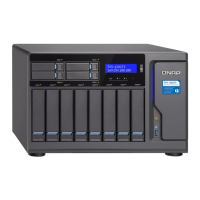
| Chassis type | Tower |
| Cooling type | Active |
| Display type | LCD |
| Fan diameter | 120 mm |
| Product color | Black |
| Fan diameter 2 | 60 mm |
| Number of fans | 3 fan(s) |
| Cable lock slot type | Kensington |
| Storage temperature (T-T) | -20 - 70 °C |
| Operating temperature (T-T) | 0 - 40 °C |
| Operating relative humidity (H-H) | 5 - 95 % |
| Fan voltage | 12 V |
| AC input voltage | 100 - 240 V |
| Power supply location | Built-in |
| Power consumption (typical) | 45.6 W |
| Power consumption (HDD standby) | 26.52 W |
| Power supply unit (PSU) capacity | 250 W |
| Cables included | AC, LAN (RJ-45) |
| Operating system version | 4.5.1 |
| Operating system installed | QNAP Turbo System |
| Server operating systems supported | Windows Server 2008 R2, Windows Server 2012, Windows Server 2012 R2, Windows Server 2016, Windows Server 2019 |
| Windows operating systems supported | Windows 10, Windows 7, Windows 8 |
| Intel Identity Protection Technology version | 1.00 |
| Intel Stable Image Platform Program (SIPP) version | 0.00 |
 Weight and Dimensions
| Depth | 279.6 mm |
|---|---|
| Width | 264.3 mm |
| Height | 188.2 mm |
| Weight | 6553 g |
| Package weight | 8070 g |


 To Next Page