QODGolfInternational.www.qodgolf.com
Warning:ProductPatentProtected,DesignProtected,CopyrightProtected.AllrightsReserved
ControlFunctionsandUsageofYourQODCaddy
UsageoftheCaddywithControls
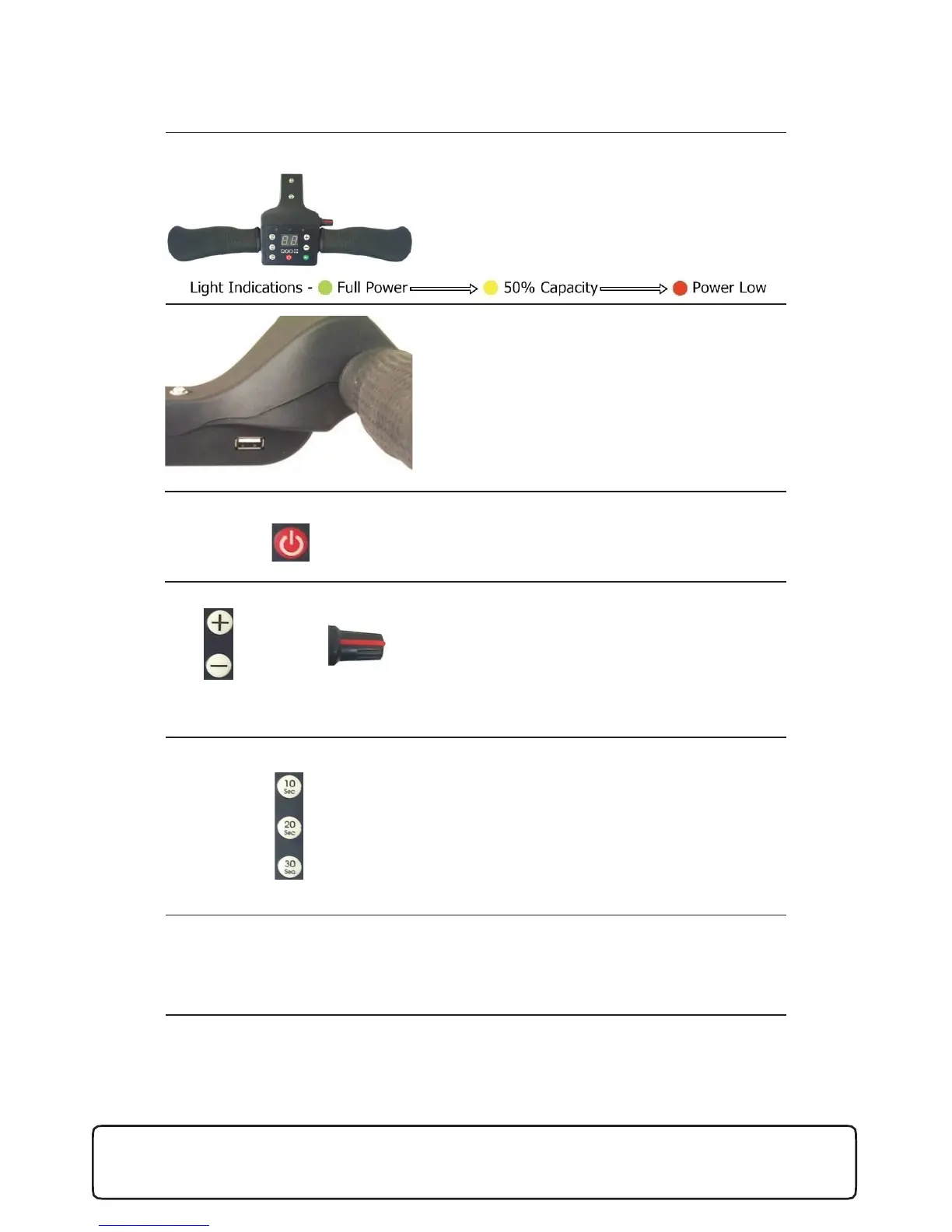
CompleteHandleandControls
Redlightindicator(Power)–Aflashingredlighton
thehandleindicatesthatthebatteryistoolowto
drivethecaddy.LCDdisplayshowsvariablespeed
betweenvalues1to9.
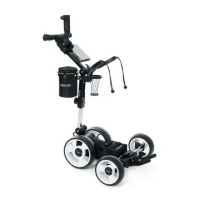
USBConnection
OntherighthandsidebehindtheThandle,
thereisaUSBconnectionfortheconvenience
ofchargingyourGPSorotherdeviceswhileon
thecourse.Powerwilloutputduringthe
durationofthebatterybeingconnectedtothe
caddyifanydeviceisconnected.Chargingwill
beslowerbecausethepoweroutputissimilarto
acomputeroutput.
ON/OFFButton
Needstobehelddownforafewseconds(or
untillightturnson)beforecaddywillturnon
andoff.
VariableSpeedControl(MutuallyIndependent)
Variablespeedadjustments,upto5speeds.Only
onespeedcontrolcanbeusedatatimeasthe
potentiometerandvariablespeedbuttonare
mutuallyindependentofeachother.Whenthe
SpeedButton Potentiometer
caddystarts,thespeedwillgraduallyincreasedue
tothesoftstart.
TimeForwardAdvance
Timeforwardadvanceallowsthecaddytorunfor
asetamountoftimewithacountdownfeaturefor
yourreference.Itoperatesatapresetspeedwhich
isnotadjustable.
• 10seconds–Runsfor10secondsandstops
• 20seconds–Runsfor20secondsandstops
• 30seconds–Runsfor30secondsandstops
STOP/STARTButton
Softswitchtostopthecaddyandthenresumethe
caddy.Thisbuttonmaintainsthevariablespeed
controlpreviouslysetbeforestopping.


 To Next Page