EasyManua.ls Logo

Qstarz BT-Q818XT - User Manual

Qstarz BT-Q818XT
6 pages
Print Icon
To Next Page IconTo Next Page
Loading...
Beyond Navigation English
……………………………………………………………………………………………………………………………………………………………………………………….
……………………………………………………………………………………………………………………………………………………………………………………… .
www.Qstarz .com 1
BT-Q818XT Quick Installation Guide
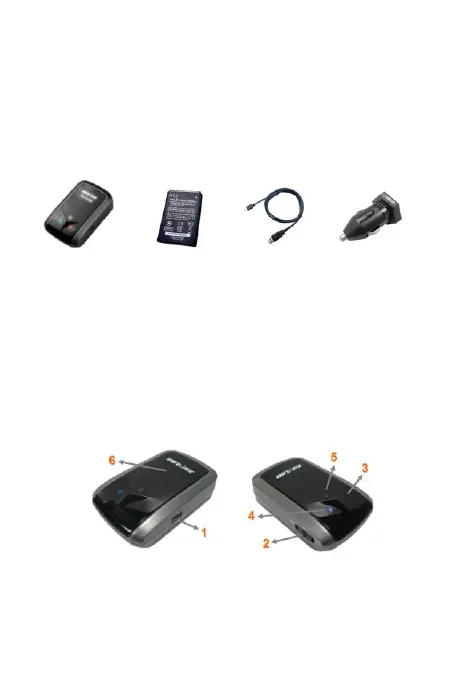
A. Standard Package
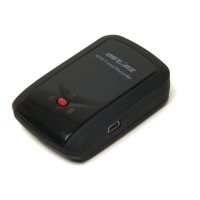
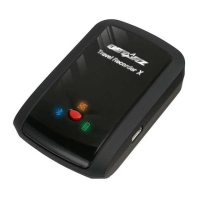
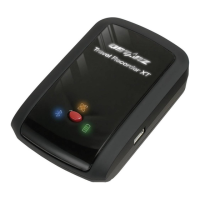
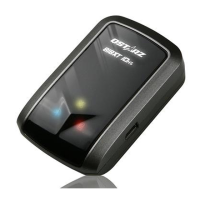
(1) GPS Unit BT-Q818XT (2) Lithium-ION Rechargeable Battery (3)
mini USB Cable (4) Cigarette Adapter + Warranty Card
1. 2. 3. 4.
B. Appearance
1. Power jack (mini USB type)
2. Power switch (Off/1Hz/10Hz)
3. Battery status LED (Red/Green)
4. Bluetooth status LED (Blue)
5. GPS status LED (Orange)
6. Internal antenna

Questions and Answers

  • R
    Robert ButlerAug 7, 2025
    How to fix Qstarz BT-Q818XT GPS when no position output but timer is counting?
    • M
      Matthew ObrienAug 7, 2025
      If your Qstarz GPS timer is running but you're not getting a position output, it's likely due to a weak or nonexistent GPS signal. To resolve this, move your Qstarz BT?Q818XT to a location with a clearer view of the sky.
  • J
    Jacob ThomasAug 11, 2025
    Why does my Qstarz GPS have no signal?
    • S
      Sharon WilliamsAug 11, 2025
      If your Qstarz GPS shows no signal, it could be due to using the BT?Q818XT indoors where GPS signals are weak or unavailable. Try going outdoors to get a better GPS signal.
  • D
    davidgalvanAug 15, 2025
    What to do if I can't turn on the COM port for my Qstarz BT-Q818XT GPS?
    • L
      Lori MathewsAug 15, 2025
      If you can't turn on the COM port for your Qstarz GPS, it might be due to an incomplete installation of the BT?Q818XT or because the COM port is already in use by another device. Try reinstalling the BT?Q818XT completely or stopping the other device that's using the COM port.
  • P
    Paul MartinAug 20, 2025
    What to do if Qstarz BT-Q818XT has no signal after few minutes?
    • M
      Mr. Mark AcostaAug 20, 2025
      If your Qstarz GPS is showing no signal, it might be because the Pocket PC has entered power saving mode after a period of inactivity, which can close the COM port. To fix this, close the application and reopen it to re-establish the COM port connection.
  • S
    Shannon ReillyAug 25, 2025
    What to do if I can't find out Qstarz BT?Q818XT GPS?
    • J
      Jake SandersAug 25, 2025
      If you're unable to find the Qstarz BT?Q818XT, it might be due to a poor connection. Try restarting your PDA or PC and reinstalling the software.
  • P
    patricia72Aug 28, 2025
    What to do if Qstarz GPS has no position output but timer is counting?
    • M
      Melissa VelasquezAug 28, 2025
      If your Qstarz GPS timer is counting but there's no position output, it's likely due to a weak or absent GPS signal. To resolve this, move your BT-Q818XT to an open area where it can receive a stronger GPS signal.
  • T
    Teresa HughesSep 1, 2025
    Why can't I turn on the COM port on my Qstarz GPS?
    • K
      Kathleen LambSep 2, 2025
      The COM port on your Qstarz BT-Q818XT GPS might not turn on because the device wasn't completely installed or the COM port is currently in use by another device. Ensure that the BT-Q818XT is completely installed, or stop the other device that is using the COM port.

Qstarz BT-Q818XT Specifications

General IconGeneral
Data LoggingYes
Channels66
Velocity Accuracy0.1 m/s
Sensitivity (Tracking)-165 dBm
Sensitivity (Acquisition)-148 dBm
Operating Temperature-10°C to 60°C
GPS ChipsetMTK
ConnectivityBluetooth
Update Rate10 Hz
SBASWAAS, EGNOS, MSAS
AntennaBuilt-in patch antenna
BluetoothYes
Position Accuracy2.5 m
Time Accuracy50 ns
Acquisition Time (Hot Start)1s
Battery TypeRechargeable Li-ion
Weight65g
Battery LifeUp to 30 hours (logging mode)
Data Output Rate1 Hz to 10 Hz

Related product manuals