| 17
Q.10 Status Indicators
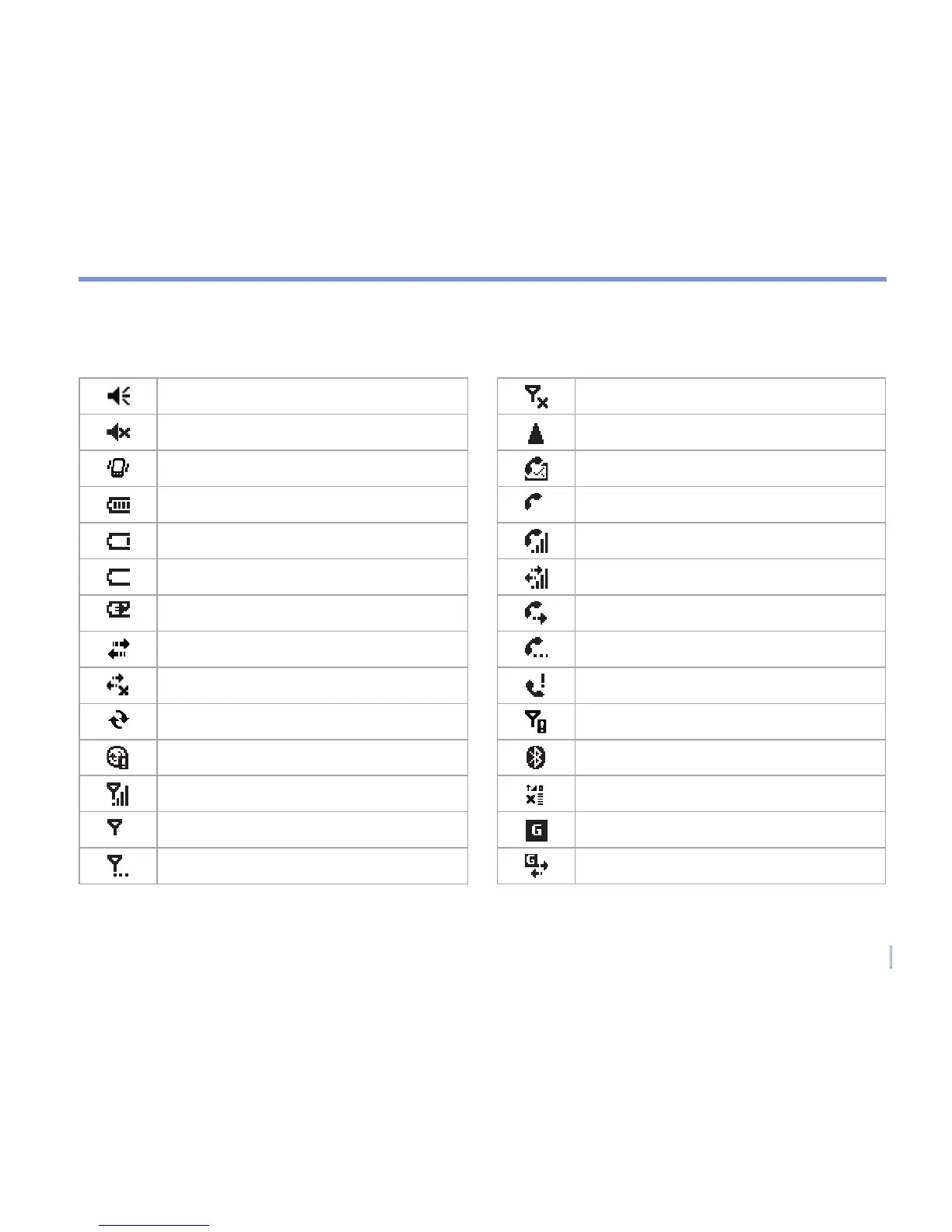
Following are some of the status icons that you may see on your device.
Ringer on
Ringer off
Ringer in vibration mode
Battery level
Main battery very low
Battery empty
Battery charging
Connection is active
Connection is not active
Synchronisation in progress
Synchronisation error
Indicates maximum signal strength
Indicates low signal
Searching for phone service
Indicates that the radio is turned off
Roaming
New voice mail
Voice call
Voice call in progress
Data call in progress
Calls are forwarded
Call on hold
Missed call
No SIM card installed
Bluetooth
GPRS monitor currently active
GPRS available
GPRS in use



 To Next Page