EasyManua.ls Logo

Qtx PHX300 - User Manual

Qtx PHX300
8 pages
Print Icon
To Next Page IconTo Next Page
Loading...
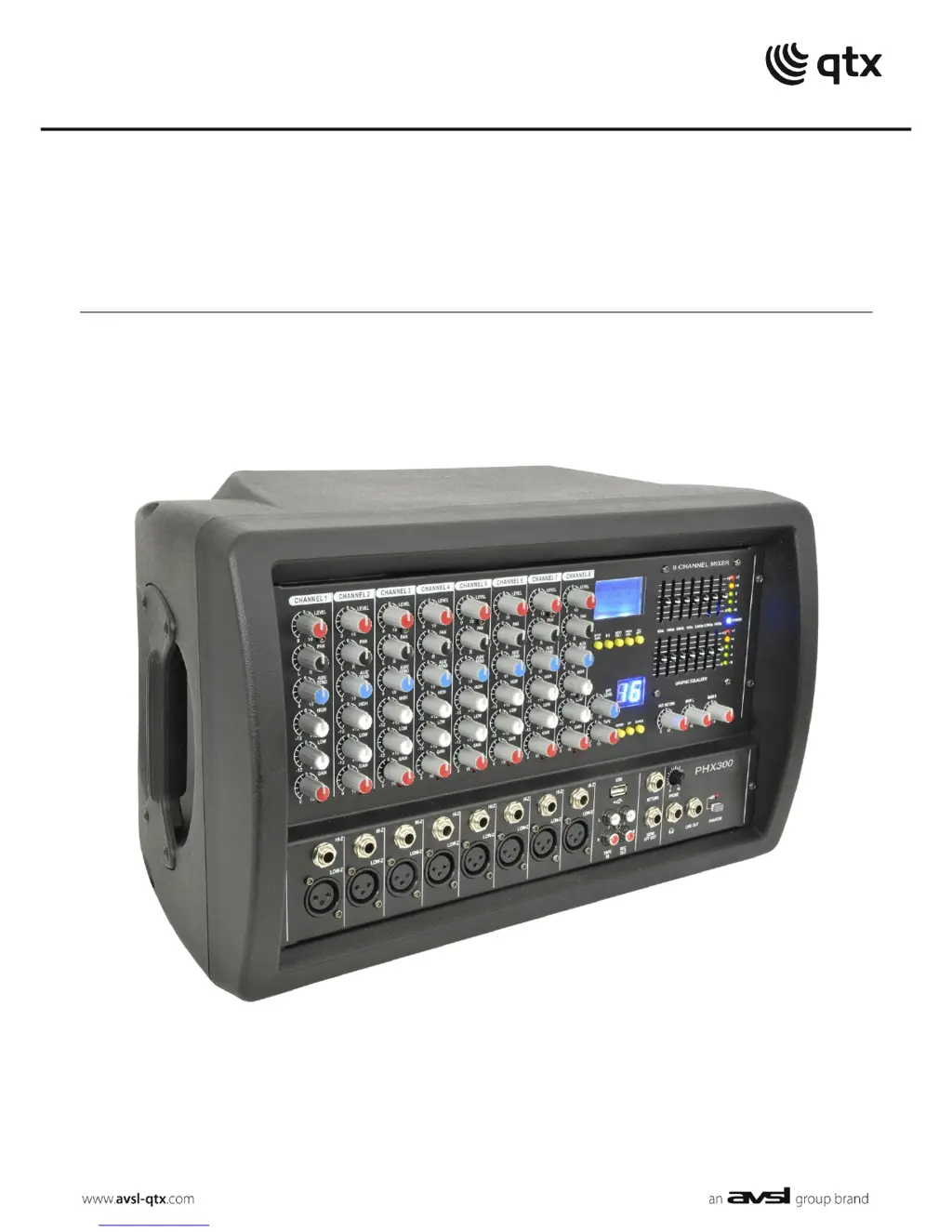
PHX300
2 x 150W PA HEAD WITH DSP EFFECTS
Item ref: 178.738UK
User Manual

Questions and Answers

  • J
    Jeremy CoxJul 30, 2025
    Why is the output of my Qtx Music Mixer very loud and distorted?
    • L
      Lisa AndersonJul 30, 2025
      If the output from your Qtx Music Mixer is very loud or distorted, first check that the level of the input signal isn't too high. Reduce the channel level and EQ settings. Make sure that Hi-Z line level inputs are not connected via XLR. Also, check the AUX level control and reduce it if needed.
  • J
    Jennifer JohnsonAug 3, 2025
    How to stop feedback with microphones on Qtx Music Mixer?
    • E
      erica85Aug 3, 2025
      To address feedback issues with microphones on your Qtx Music Mixer, start by ensuring the microphone is facing away from speakers and monitors. If feedback persists, reduce the channel level control and/or EQ levels.
  • D
    David CooperAug 8, 2025
    How to fix Qtx Music Mixer when the power LED is not lit?
    • P
      Patricia MejiaAug 8, 2025
      If the Power LED on your Qtx Music Mixer isn't lit, first, check if the power is switched on at the mains and at the rear panel. Also, inspect the IEC fuse. If it keeps blowing, it's best to consult qualified service personnel.
  • R
    randalldavidAug 12, 2025
    What to do if Qtx PHX300 Music Mixer has power but no speaker output?
    • R
      robertjonesAug 12, 2025
      If you're getting no speaker output from your Qtx Music Mixer, even though the power and level meter LEDs are lighting up, check the output connections to the speakers. Also, verify that the speakers themselves are in good working order.
  • P
    Phillip FloydAug 16, 2025
    Why is the output of my Qtx PHX300 Music Mixer at a very low level?
    • S
      smithsamuelAug 17, 2025
      If the output level on your Qtx Music Mixer is very low, first check that the input audio source level isn't too low. Ensure a low impedance line or mic signal is not connected via jack. If the channel level control and EQ settings are turned down, increase them.
  • N
    Nichole JenkinsAug 21, 2025
    What to do if Qtx PHX300 power LED is on but there is no output?
    • L
      Luis PetersenAug 21, 2025
      If your Qtx Music Mixer's Power LED is on, but no other LEDs are lit and there's no output, start by checking the input signals and the condition of the connection leads. Also, make sure the channel gain and EQ controls aren't turned fully down, and that the Master and channel level controls aren't fully down either.
  • J
    Jennifer LeonardAug 25, 2025
    Why is there no playback from USB media on my Qtx PHX300 Music Mixer?
    • K
      kimberlyjohnsonAug 26, 2025
      If you're experiencing no playback from USB media on your Qtx Music Mixer, first, check that the files are in a standard compressed audio format. Also, check the volume setting within the audio player.

Summary

Introduction

Safety Symbol and Message Conventions

General Warnings

Safety, Placement, and Cleaning

Input Channel

Channel Controls and Inputs

Details on channel output level, pan, EQ, gain, peak LED, and input connectors.

Master Section

Master Controls and Outputs

Covers USB player, DSP effects, send/return, REC output, master levels, and headphone/line outputs.

Rear Panel

Setting Up

Operation

DSP effects

USB player

Specifications

Troubleshooting

Qtx PHX300 Specifications

General IconGeneral
BrandQtx
ModelPHX300
CategoryMusic Mixer
LanguageEnglish

Related product manuals