160.464UK User Manual
Setting up
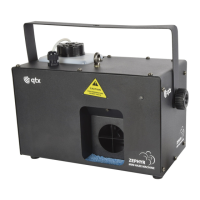
1. Unpack the ZEPHYR unit.
2. Unscrew the top cap of the tank and remove to fill with haze fluid.
3. Replace the bottle and screw the cap securely, making sure that the pipe is fed
down to the bottom of the bottle to ensure a consistent flow of fluid.
4. If required, connect the remote receiver via the 5-pin DIN socket on the rear
panel.
5. Set the DIP switches on the side of the RF receiver to respond to the required
button on the keyfob transmitter (e.g. setting DIP witch 1 on will mean that
haze will be produced when button 1 is pressed on the keyfob)
6. If DMX is to be used for control, connect the DMX signal from the controller to
the DMX IN XLR connector. Any further DMX controlled units may be
connected via the DMX OUT XLR connector.
7. Connect the IEC mains plug and switch the power on.
8. Heat up time is as little as 35 seconds before the ZEPHYR is ready to use.
Operation
To operate the ZEPHYR in standalone mode, use the 4-button control on the rear
panel beneath the LED display as follows.
Adjust the fan speed and output to the required output consistency.
If the remote receiver is connected, then this will enable wireless on/off control of
the haze output from the buttons as set on the DIP switches.
If the display is showing the DMX address, the ZEPHYR will operate from DMX
control as follows.


 To Next Page