32
VEHICLE DESCRIPTION
List of functions
- Odometer «ODO»
- Trip meter «Trip A» and «Trip B»
- Clock
Scrolling through the functions
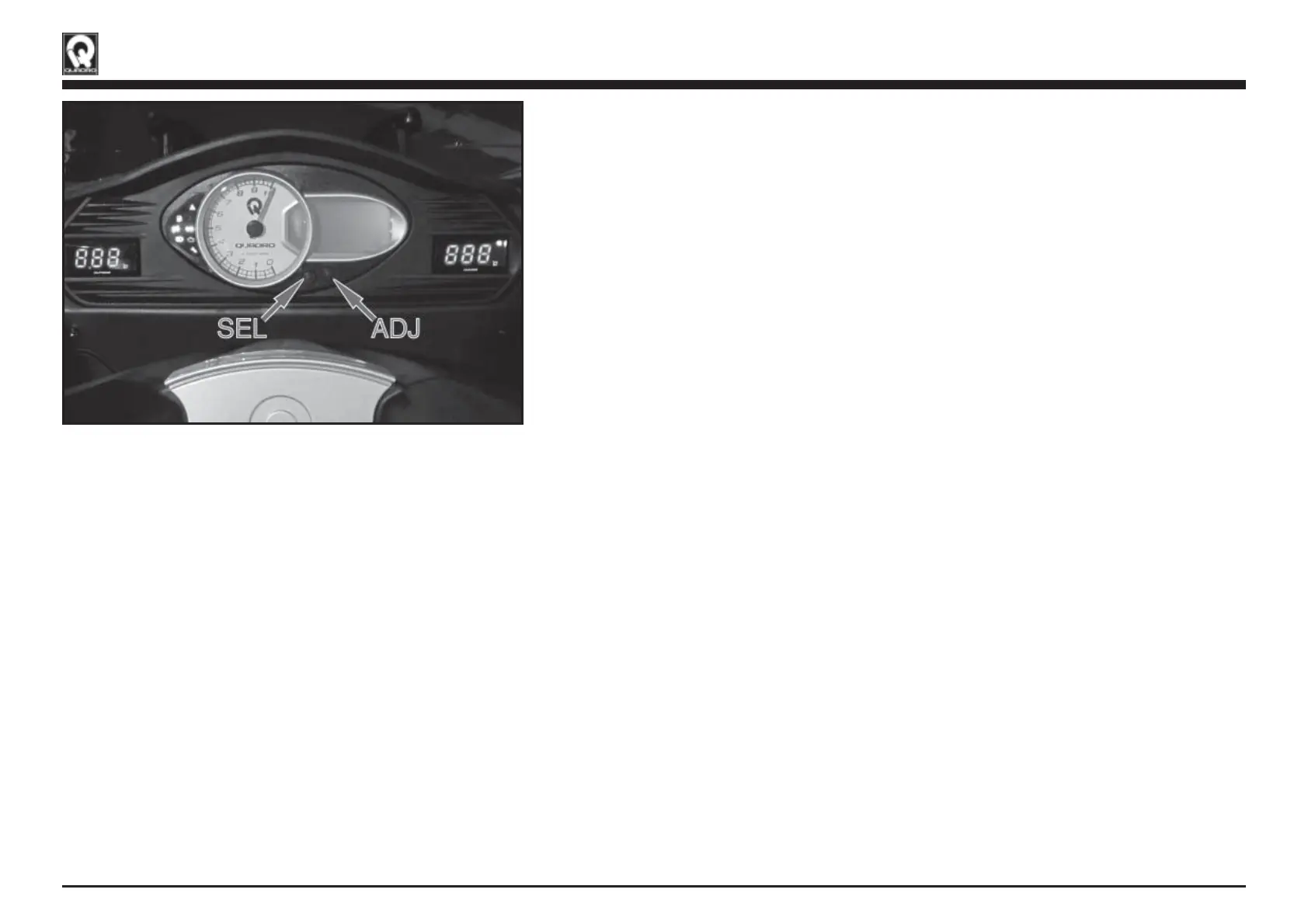
Press “ADJ” briefly to change between ODO ODO TRIP A TRIP B
Resetting the trip meter:
Select the trip meter you wish to reset and then hold down «ADJ»
Changing from kilometres per hour [km/h] to miles per hour [mph]
Hold down «ADJ» to toggle
Clock setting (sequence)
1. Hold down «SEL» until the hour digits start to flash
2. Press «ADJ» to set the hours (one press = + 1 hour)
3. Press «SEL» to set the minutes
4. Press «ADJ» to set the minutes (one press = + 1 minute)
5. Press «SEL» to exit the clock setting mode
Fig. 01
QSI0026
(Fig. 01)4.7.1 INSTRUMENT PANEL FUNCTIONS


 To Next Page