33
Fig. 01
QSI0017
Fig. 02
QSI0018
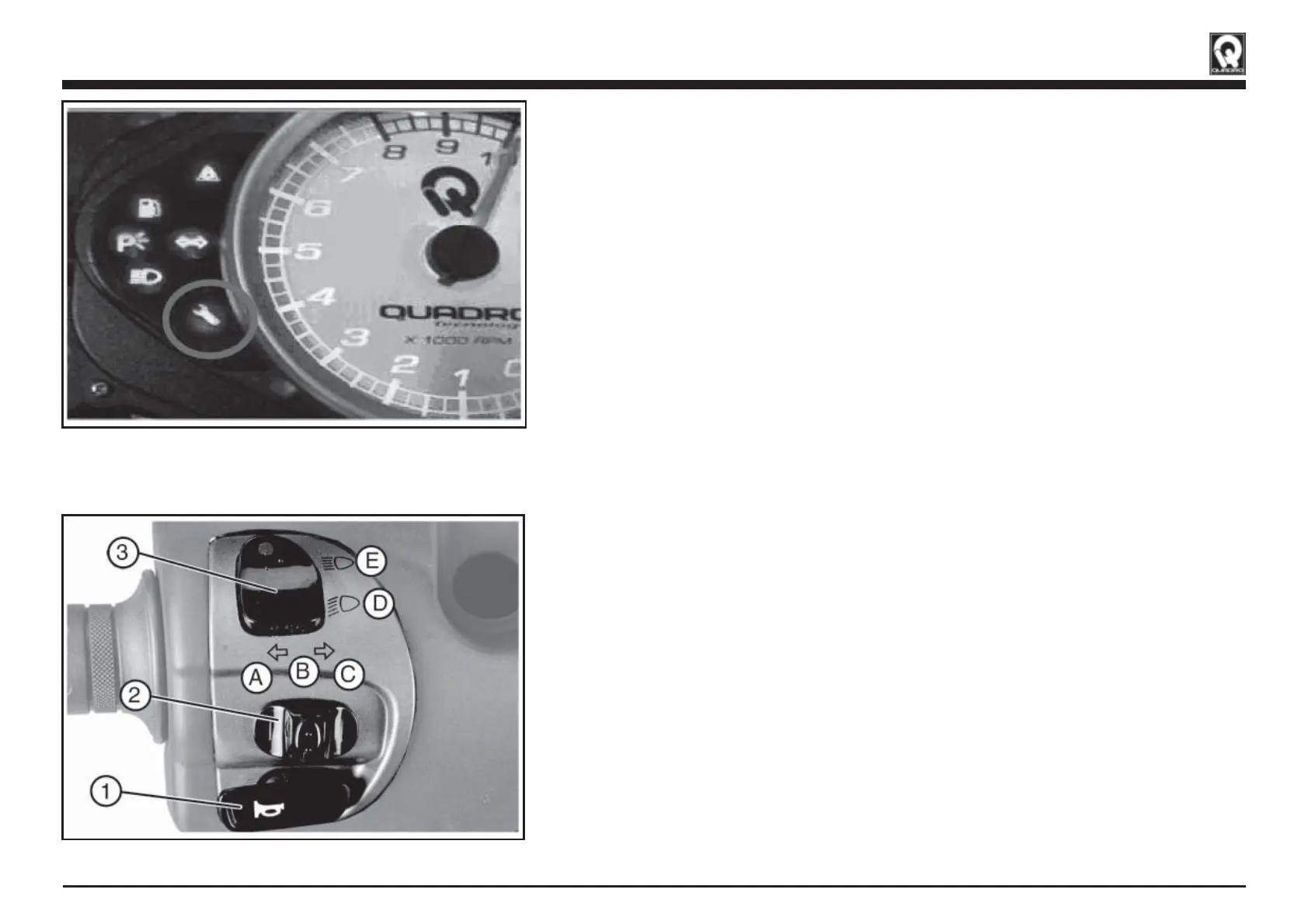
4.8 SERVICE INDICATOR
The vehicle equipped with a indicator light that turns on for each main-
tenance interval.
To turn off the Service Indicator light please contact your dealer.
4.9 LEFT HANDLEBAR SWITCHES
Horn button «1»
When the horn button is pushed, with the ignition switch turned to the
«ON» position, the horn will sound.
Direction indicators switch «2»
With the key-operated ignition switch in «ON» position, move the switch
to the right «C» to activate the right-hand turn indicators and on the
left «A» to activate the left-hand turn indicators . After that, the lever
automatically goes back in central position. Push the button «B» to de-
activate the turn indicators.
Headlight Dip Switch «3»
With the ignition switch turned to the «ON» and light switch position,
(low beam) can be selected with the headlight dip switch «3».
To select high beam, push the switch «3» forward to position «E».
To select low beam, push the switch r «3» earwards to position «D»
(Fig. 01)
(Fig. 02)
VEHICLE DESCRIPTION


 To Next Page
 Loading...