EasyManua.ls Logo

Quadro WM-F10042 EU - User Manual

Quadro WM-F10042 EU
30 pages
Print Icon
To Next Page IconTo Next Page
Loading...
Washing Machine / User Manual
EN
WM-F10042 EU

Questions and Answers

  • A
    Ashley WestAug 15, 2025
    Why Quadro Washer machine does not start?
    • B
      Benjamin SchultzAug 15, 2025
      Your Quadro Washer might not start due to several reasons. Ensure the machine is plugged in and the fuses are working. Check that there is mains power supply. Press the Start/Pause button and turn the programme dial to the desired position. Also, make sure the machine door is completely closed.
  • M
    Michael JonesAug 18, 2025
    What to do if my Quadro Washer machine does not intake water?
    • A
      Alyssa ScottAug 18, 2025
      If your Quadro Washer isn't intaking water, start by checking if the water tap is turned on. Inspect the water inlet hose for any twists and untwist it if necessary. Also, the water inlet hose or inlet filters might be clogged, so clean them thoroughly. Ensure that the machine door is completely closed.
  • W
    William Lopez DDSAug 21, 2025
    Why Quadro WM-F10042 EU Washer machine vibrates so much?
    • J
      Justin CollinsAug 21, 2025
      If your Quadro Washer is vibrating, it could be due to a few reasons. First, make sure the feet have been adjusted properly. Check that the transit bolts, used for transportation, have been removed. Avoid overloading the drum and spread laundry evenly. Ensure the machine isn't placed on a hard surface. Note that a small load in the drum will not prevent the operation of your machine.
  • J
    Jaclyn GonzalezAug 25, 2025
    How to fix Quadro WM-F10042 EU machine that does not discharge water?
    • M
      michelle88Aug 25, 2025
      If your Quadro Washer isn't discharging water, check the drain hose for clogs or twists, and clean or untwist it. Also, the pump filter might be clogged, so clean it. Ensure that your laundry is not too tightly packed in the drum; spread it evenly.
  • S
    smithjulieAug 27, 2025
    What to do if Quadro Washer machine forms excessive foam in the detergent drawer?
    • M
      Michael LyonsAug 28, 2025
      If excessive foam is forming in the detergent drawer of your Quadro Washer, it could be due to using too much or the wrong detergent. Press the Start/Pause button. To stop the foam, dilute one tablespoon of softener into 1/2 litre of water and pour into the detergent drawer. Press the Start/Pause button after 5-10 mins. Only use detergents produced for automatic Washing Machines.
  • S
    Sheila JohnsonAug 30, 2025
    What to do if Quadro WM-F10042 EU gives unsatisfactory washing result?
    • H
      Heather HayesAug 30, 2025
      If you're getting unsatisfactory washing results from your Quadro Washer, consider these points: * If your washing is too dirty for the selected programme, use the information in the programme tables to select the most appropriate programme. * If the amount of detergent used is insufficient, use the amount of detergent as instructed on the packaging. * If there is too much laundry in your machine, check that the maximum capacity for the selected programme has not been exceeded. * If you have hard water, increase the amount of detergent following the manufacturer’s instructions. * Check that your laundry is spread out.
  • M
    matthew15Sep 2, 2025
    Why Quadro WM-F10042 EU Washer discharges water as soon as it is loaded?
    • C
      Corey WardSep 3, 2025
      If your Quadro Washer discharges water as soon as it's loaded, the end of the water drain hose might be too low. Check that the drain hose is at a suitable height.
  • C
    Christina HuynhSep 5, 2025
    Why Laundry has detergent residue after washing in Quadro WM-F10042 EU Washer?
    • D
      donald52Sep 5, 2025
      If your laundry has detergent residue after washing in your Quadro Washer, non-dissolving particles of some detergents may appear on your laundry as white spots. Perform an extra rinse, or clean your laundry with a brush after it dries.
  • S
    snyderheatherSep 8, 2025
    Why grey spots appear on laundry after washing in Quadro WM-F10042 EU Washer?
    • C
      Charles ChristensenSep 8, 2025
      If grey spots appear on your laundry after washing in your Quadro Washer, there might be untreated oil, cream, or ointment on your laundry. Use the amount of detergent as instructed on the packaging in the next wash.
  • K
    kimberlyballSep 12, 2025
    Why Quadro WM-F10042 EU Washer spin cycle does not take place?
    • J
      Jason LynchSep 12, 2025
      If the spin cycle in your Quadro Washer doesn't take place or is delayed, it may be because the Unbalanced load control system has been activated. This system will try to spread your laundry, and the spinning cycle will begin once your laundry is spread. Load the drum evenly for the next wash.

Summary

Safety Instructions

General Safety Warnings

Important safety advice for operating the washing machine, including ambient temperature and initial checks.

Burn and Electrical Safety Warnings

Critical warnings regarding risks of burns from hot water and electric shock.

Fire and Flood Prevention

Precautions against fire hazards and potential water flooding.

Fire, Explosion, and Injury Prevention

Safety instructions to prevent fire, explosion, falling, and injury.

Child Safety and Machine Handling

Guidelines for child safety and proper methods for moving the machine.

Safe Usage Guidelines

Essential instructions for operating the washing machine safely, including transit bolt removal.

Packaging and Disposal Information

Information on handling packaging materials and responsible disposal of the appliance.

Efficiency and Savings Tips

Advice on optimizing machine usage for efficiency and savings.

Technical Specifications

Washing Machine Appearance

Identifies the main external components of the washing machine.

Key Technical Specifications

Lists key specifications like voltage, current, power, capacity, and dimensions.

Installation Guide

Transit Bolt Removal

Step-by-step guide to remove transit bolts before first use.

Machine Leveling Guide

Instructions for adjusting the feet to ensure the machine is level.

Electrical Connection Steps

Guidance on safely connecting the washing machine to the electrical supply.

Water Inlet Hose Setup

Steps for properly connecting the water supply hose to the machine.

Drain Hose Connection

How to correctly connect the drain hose for water removal.

Control Panel Overview

Detergent Drawer Details

Explains the different sections of the detergent drawer for various additives.

Program Dial Operation

How to use the dial to select the desired wash program.

Electronic Display Guide

Details the meaning of symbols and lights on the machine's display.

Using Your Washing Machine

Laundry Preparation

Instructions on sorting, checking, and preparing clothes before washing.

Drum Loading Instructions

Guidance on evenly distributing laundry inside the washing machine drum.

Detergent and Softener Usage

How to use the detergent drawer for optimal cleaning results.

Machine Operation Steps

Steps to initiate and manage a wash cycle.

Wash Program Selection

How to choose the most suitable program for your laundry needs.

Additional Function Guide

Overview of extra features like Delay Timer, No Spin, Anti-Allergic, etc.

Child Lock Operation

How to activate and deactivate the child lock to prevent accidental operation.

Program Management

Procedures for stopping a program or what to do when a cycle finishes.

Programme Table

Program Guide Table

A comprehensive list of programs with temperature, load, and duration.

Program Efficiency Data

Data on energy consumption, water usage, and moisture content for various programs.

Cleaning and Maintenance

Cleaning Safety Precautions

Essential safety steps before performing any cleaning or maintenance.

Water Inlet Filter Cleaning

Guide on how to clean the filters that prevent debris from entering the machine.

Pump Filter Maintenance

Instructions for cleaning the pump filter to ensure proper drainage.

Detergent Drawer Cleaning

How to remove, clean, and reinsert the detergent drawer.

Component Cleaning

Flush Stopper Cleaning

How to clean the flush stopper in the detergent drawer.

External Body Cleaning

Method for cleaning the external casing of the washing machine.

Drum Cleaning Advice

Advice on cleaning the drum, particularly for removing rust stains.

Troubleshooting

Troubleshooting Common Issues

A guide to identifying and resolving common operational issues.

Fault Code Interpretation

Explains error codes indicated by the machine and their corresponding actions.

Overview

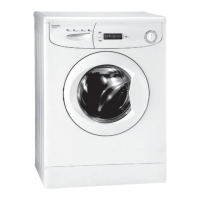
This document is a user manual for a Quadro washing machine, model WM-F10042 EU. It provides comprehensive information on the appliance's function, technical specifications, usage, and maintenance.

Function Description

The Quadro WM-F10042 EU is a household washing machine designed for domestic use. Its primary function is to wash laundry using various programs and additional features. The machine is equipped with a control panel that includes a program dial, an electronic display, and function LEDs to indicate the selected program, wash stages (pre-wash, wash, rinsing, spinning), and additional functions. It features a detergent drawer with compartments for liquid or powder main wash detergent, fabric conditioner/starch, and pre-wash detergent. The machine also incorporates a half-load detection system that automatically adjusts the program duration, water, and energy consumption when less than half the maximum load is detected.

Key operational aspects include:

  • Program Selection: Users can select from 15 different washing programs by turning the program dial.
  • Additional Functions: The machine offers several additional functions to customize the wash cycle, such as Delay Timer (3h, 6h, 9h, 12h), No Spin, Anti-Allergic, Extra Rinse, Easy Ironing, Cold Wash, and Rapid Wash. These functions can be activated via dedicated buttons on the control panel.
  • Safety Features: The machine includes a child lock function to prevent unintentional operation. It also has a built-in fault detection system that displays error codes (E01, E02, E03, E04) in case of malfunctions, such as an improperly shut door, low water pressure, pump issues, or excessive water.
  • Energy and Water Saving: The manual highlights that not exceeding the maximum load and avoiding the pre-wash feature for lightly soiled laundry can help save energy and water. The half-load detection system also contributes to these savings.

Important Technical Specifications

  • Operating Voltage / Frequency: 220-240 V~ / 50 Hz
  • Total Current: 10 A
  • Water Pressure: Maximum 1 Mpa / Minimum 0.1 Mpa
  • Total Power: 2100 W
  • Maximum Washing Capacity (dry laundry): 5.0 kg
  • Spinning Revolution: 1000 rev / min
  • Programme Number: 15
  • Dimensions (mm):
    • Height: 845
    • Width: 597
    • Depth: 497

Usage Features

The user manual details the steps for preparing laundry, loading it into the machine, adding detergent, and operating the machine.

  • Laundry Preparation: This involves following care labels, separating laundry by type, temperature, and dirtiness, and ensuring pockets are empty of metallic objects.
  • Detergent Usage: The amount of detergent depends on water hardness, wash load, and soil level. The detergent drawer has specific compartments for main wash, softener, and pre-wash detergents. Liquid detergents can be used in all programs without pre-wash by using a fluid detergent level plate.
  • Program Table: A comprehensive program table lists 15 programs with recommended washing temperatures, maximum dry laundry amounts, detergent compartment usage, and approximate durations. Programs include Cotton (90°C, 60°C, 20°C), Cotton Pre-Wash, Eco 40-60, Easy Care, Wool, Rinsing, Spinning, Hand Wash/Delicate, Colors 40°C, Mixed, Blouses/Shirts, Fast 60 min, and Rapid 15 min.
  • Electronic Display: The display panel shows the remaining program time, selected additional functions, and current wash stage. It indicates "Finished" upon completion and displays fault codes if issues arise.
  • Child Lock: Activated by pressing and holding additional functions 1 and 2 buttons simultaneously for at least 3 seconds.
  • Program Cancellation: A running program can be cancelled by turning the program dial to "STOP" and then to any other program to drain the machine.

Maintenance Features

Regular cleaning and maintenance are crucial for the longevity and efficient operation of the washing machine.

  • General Warning: Always turn off the mains power supply and water supply before performing any maintenance. Avoid using solvents, abrasive cleaners, or harsh chemicals on the machine's surfaces.
  • Water Inlet Filters: These filters prevent dirt from entering the machine and should be cleaned every 2 months, or when the machine struggles to receive sufficient water. Cleaning involves unscrewing the inlet hoses, removing the filters with long-nosed pliers, brushing them clean with soapy water, and re-inserting them.
  • Pump Filter: The pump filter system extends the pump's life by preventing lint from entering. It is located behind a cover on the front-lower right corner and should be cleaned every 2 months. This involves opening the cover, placing a container to collect water, loosening and removing the filter, cleaning it, and then re-fitting it.
  • Detergent Drawer: Detergent residue can build up over time, so the drawer should be removed and cleaned with water and a soft brush every 2 months.
  • Flush Stopper: Located in the detergent drawer, the flush stopper should be disassembled and cleaned to remove softener residue.
  • Body: The external casing can be cleaned with a mild, non-abrasive cleaning agent or soap and water, then wiped dry with a soft cloth.
  • Drum: To prevent rust stains, avoid leaving metallic objects in the drum. For existing rust stains, use a non-chlorine cleaning agent specifically designed for washing machines, following the manufacturer's instructions. Do not use wire wool or hard objects.
  • Periodic Cleaning: It is recommended to perform periodic cleaning of the washing machine every 2 months using the Drum Clean program (or Cottons-90 if Drum Clean is not available). Limescale removers specifically for washing machines should be used when needed.

The manual emphasizes that repairs should only be carried out by an authorized service agent to avoid risks and voiding the warranty. It also states that the minimum period for supplying spare parts for the household washing machine is 10 years.


Quadro WM-F10042 EU Specifications

General IconGeneral
BrandQuadro
ModelWM-F10042 EU
CategoryWasher
LanguageEnglish

Related product manuals