TECHNICAL
Grinder
Wear
Grinder
Password
ON OFF
DOSES
TECHNICAL
COUNTERS
DISPLAY
MENU
Two operating modes can be set for manual dosing.
If the time is set to ‘0’ the button operates in continuous grinding mode for
time cycles of twenty minutes each time the button is pressed.
Conversely, if the time is set to a value other than “0” the button functions as
“dose time 3”
3 MENÙ
4 TECHNICIAN
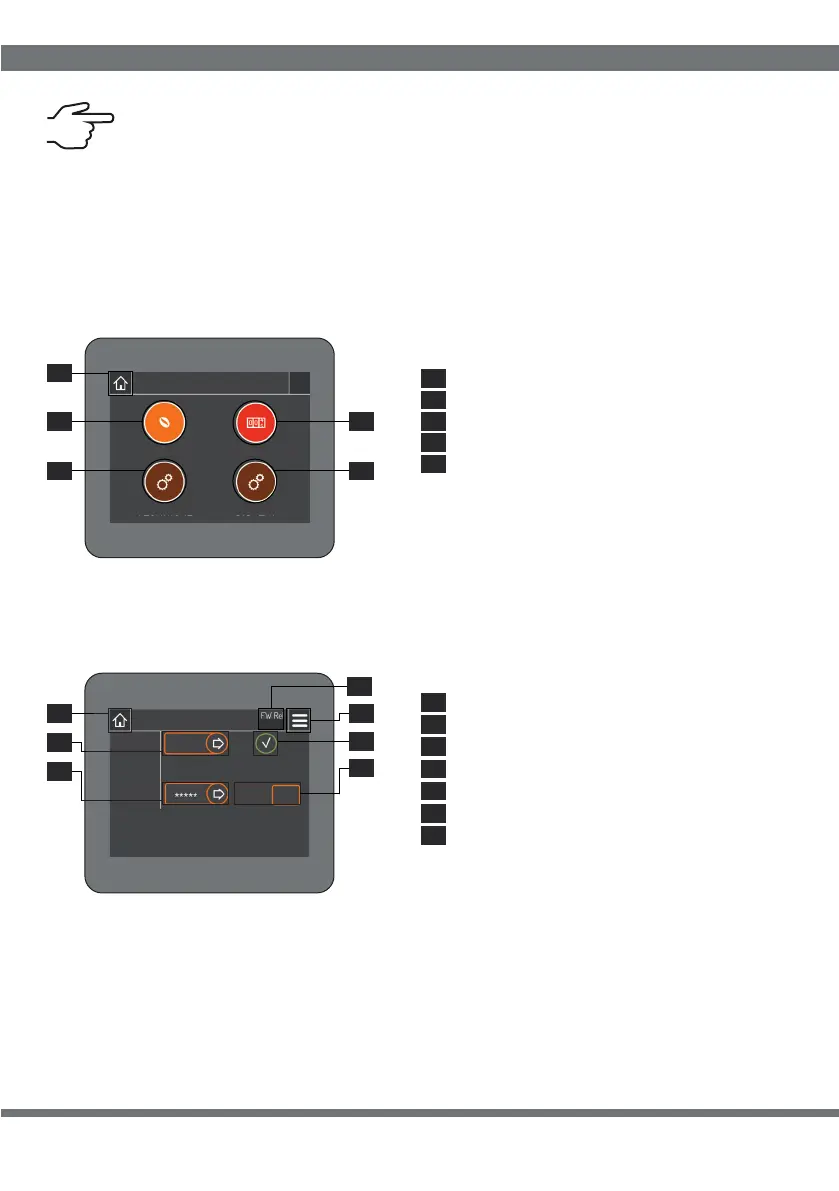
Button 4.1 allows access to the “Grinding wheel wear” page (par. 5).
To confirm the setting of buttons 4.2, 4.3 and 4.5 click on the confirmation button (4.7).
Button 4.4 allows access to the “Change password” page (par. 6).
3.
3.
1
5
3.3
3.2
3.4
3.
4.
3.
3.
3.
4.
3.
4.
4.
4.
4.
4.
4.
4.
4.
4.
1
1
2
3
4
2
5
3
4
5
6
4
1
5
3
6
Settings/Doses: access (par.2)
Millstone wear: access (par.5)
Counters: access (par.9)
Technical: access (par.4)
Display: access (par.10)
Set password
Home: return (par.1)
Confirmation button
Home: return (par.1)
Menu: access (par.3)
Password activation/deactivation
4.2
SOFTWARE INTERFACE
40
4.7
xx.xx
4.7
Version Firmware



 To Next Page