14
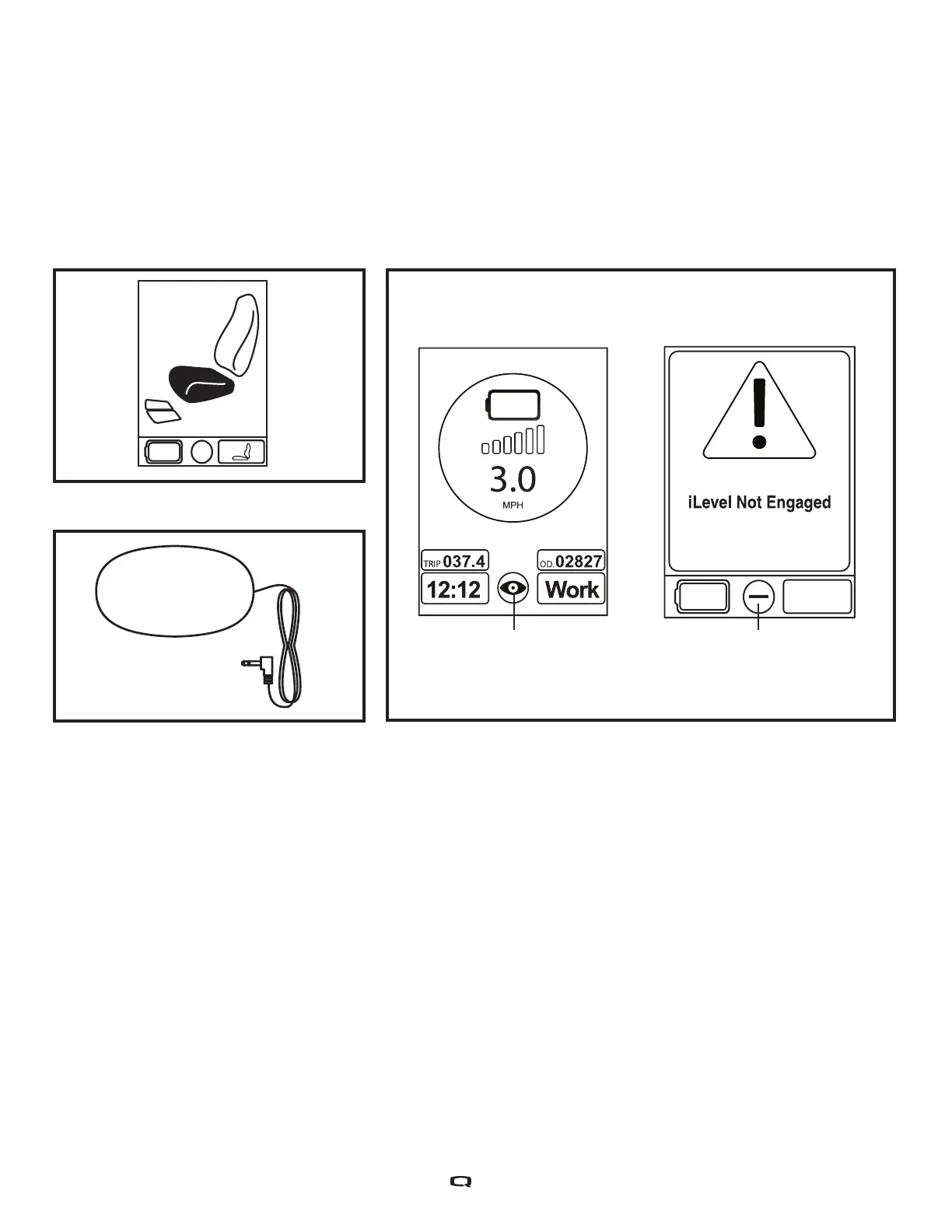
NOTE: The iLevel® feature is equipped with a system that allows the power chair to drive at a
predetermined, safe speed when the seat is elevated. Always check to be sure this system is
operating properly before using your power chair.
NOTE: If a warning appears on the Q-Logic 2 controller LCD stating “iLevel® is not engaged,” the
power chair’s speed will be reduced to 25% when elevated. If this warning appears while on level
ground, please discontinue use of iLevel® feature and consult your Quantum Rehab Provider
for assistance.
Main Menu
The Main Menu screen displays a list of preference settings that are user adjustable: 12-hr./24-hr. clock,
amount of backlighting, measurement system (miles/kilometers), English, German, Italian, French, and
Spanish language choice, and tripmeter and odometer resetting.
To make a selection from the Main Menu:
1. Push the Main Menu button.
2. Push the joystick up or down to scroll through the available main menu functions.
3. When the desired function is highlighted on the LCD, push the joystick to the right to select that function.
4. To return to the previous screen, push the joystick to the left.
iLevel® Engaged iLevel® Not Engaged
Figure 2. Elevating Seat Mode
Figure 4. Single Switch Figure 3. Q-Logic 2 Controller Indicators


 To Next Page