28
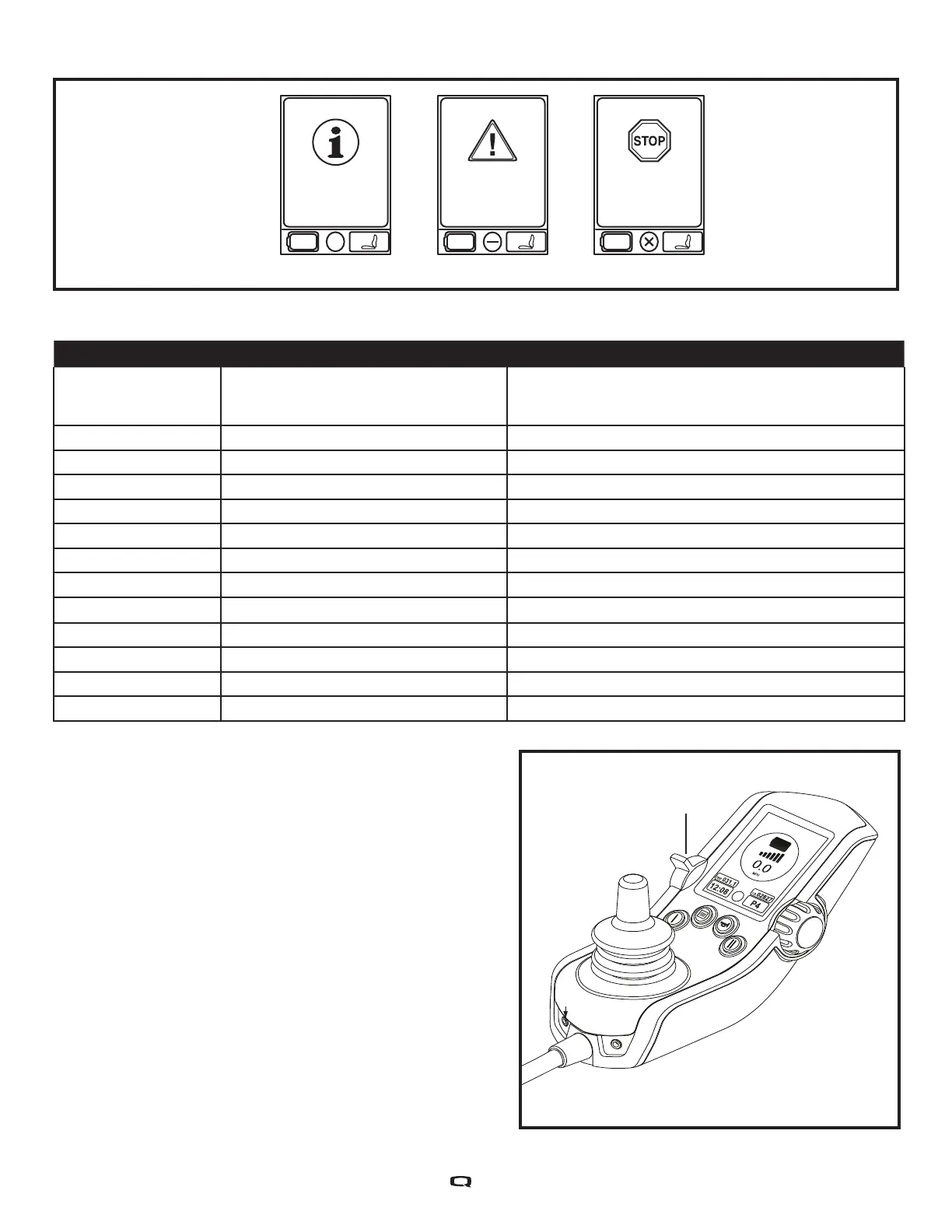
Error
#36
Joystick not centered.
Warning
#110
Joystick out of center.
Information
Function executed.
Figure 11. Error Codes
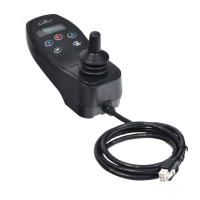
On/Off Mode
Select Lever
Error Code Diagnosis Solution
35, 37 Joystick Fault/Connection, Stop Sign
Error #35 occurs on the screen
Check if joystick cable is connected. Turn On/Off Mode
Select Lever off and then back on again to recycle the
power. *See additional information in note below
36, 110 Joystick Not Centered Release joystick while turning chair on.
46 High Battery Voltage Disconnect charger.
47, 101, 105 Low Battery Voltage Charge battery.
49-53 Motor Not Connected Check motor brake connector
74-75 Motor Disconnected Check motor brake connector
81-90 Motor/Brake Fault Check motor brake connector
107 Charger Drive Inhibit Disconnect charger.
111 - 112 Center Detect Fault Check if joystick cable is connected.
131 - 132 Motor Fault Check motor wiring.
141, 187 Drive/Actuator Restriction Clear restriction.
192 - 195 Motor Disconnected/Shorted Check motor brake connector.
200 - 201 Motor Fault Check motor wiring.
NOTE: The On/Off Mode Select Lever is
located on the left hand side of the controller/
joystick’s screen. This is shown on Page 2
of this manual as number 3 as well as to the
figure on the right. The On/Off Mode Select is
a toggle switch.


 To Next Page