Quartz Q16/Q32 System Manual
18 May 2004 Issue 5.00 Page 18
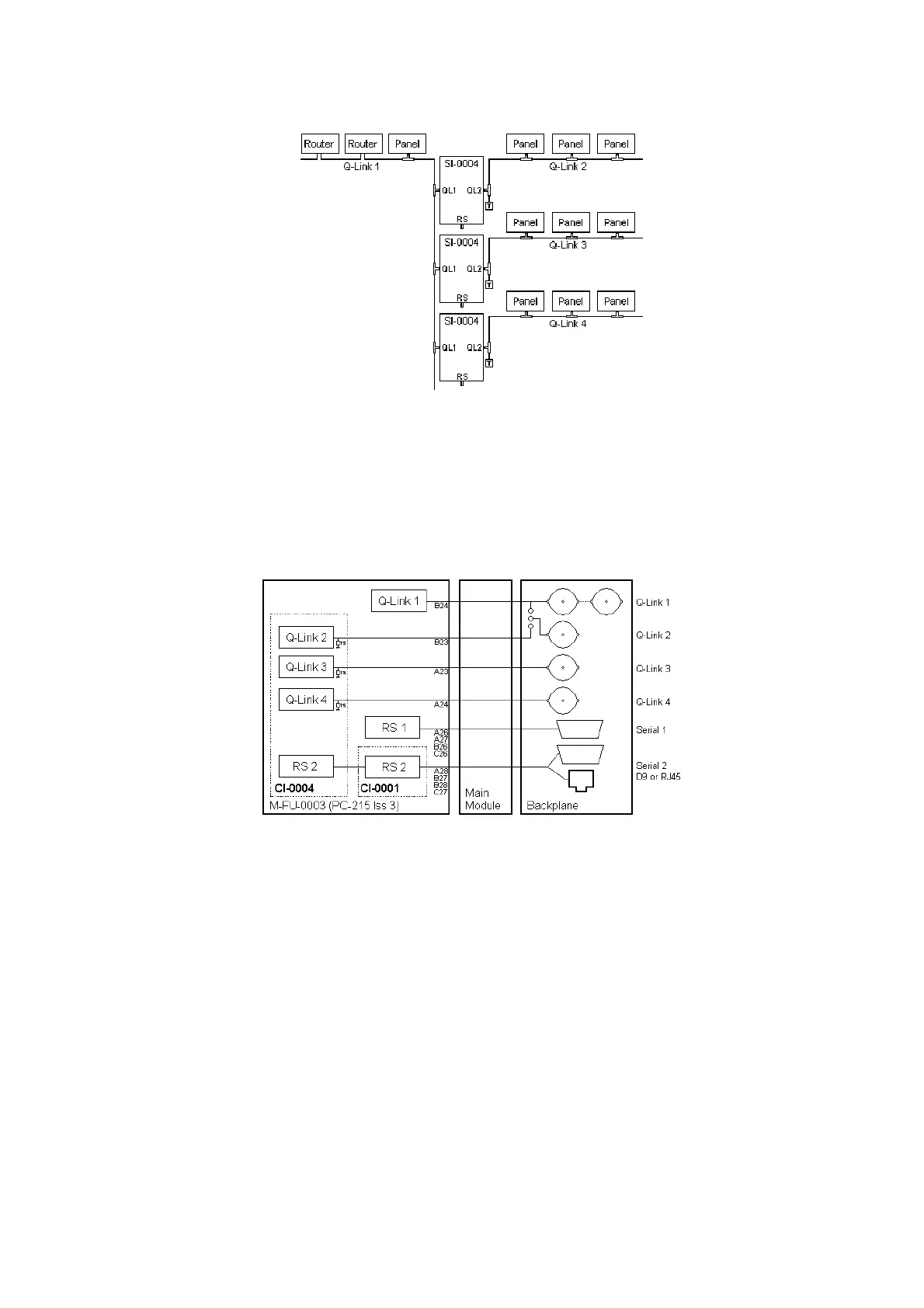
Refer to Application Note AN-0016 for further information on the SI-0004 interface.
Remote Control - RS232/422 Computer Port
The connectors (9 way D-type or RJ45 sockets) for the computer ports are fitted on the rear of each
router frame. All routers fitted with the FU-0003 processor have one computer port driver fitted, and
this normally connects to the ‘Computer’ or ‘Serial 1’ connector. Second serial ports may require a
CI-0001 or CI-0004 module to be installed, refer to the Router Options manual for further details.
For real time or high-speed control it is essential that the serial port on the master router be used. As
Serial 1 is normally required to configure the routing system from WinSetup, Serial 2 would normally be
used for the high-speed connection and this requires a CI-0001 or CI-0004 module.
The Q16 range of routers only support one serial port due to limited rear panel space. The Q16 and
Q32 routers have a link on the backplane to allocate the rear panel Q-Link BNC connectors to looping
single Q-Link or dual Q-Link operation.



 To Next Page