Using the A3s as a webcam
It is possible to use the A3s as a webcam, but not all programs are supporting this camera. One of a very interesting program
is the from NCH which I use.
- Download the program from the website and install it
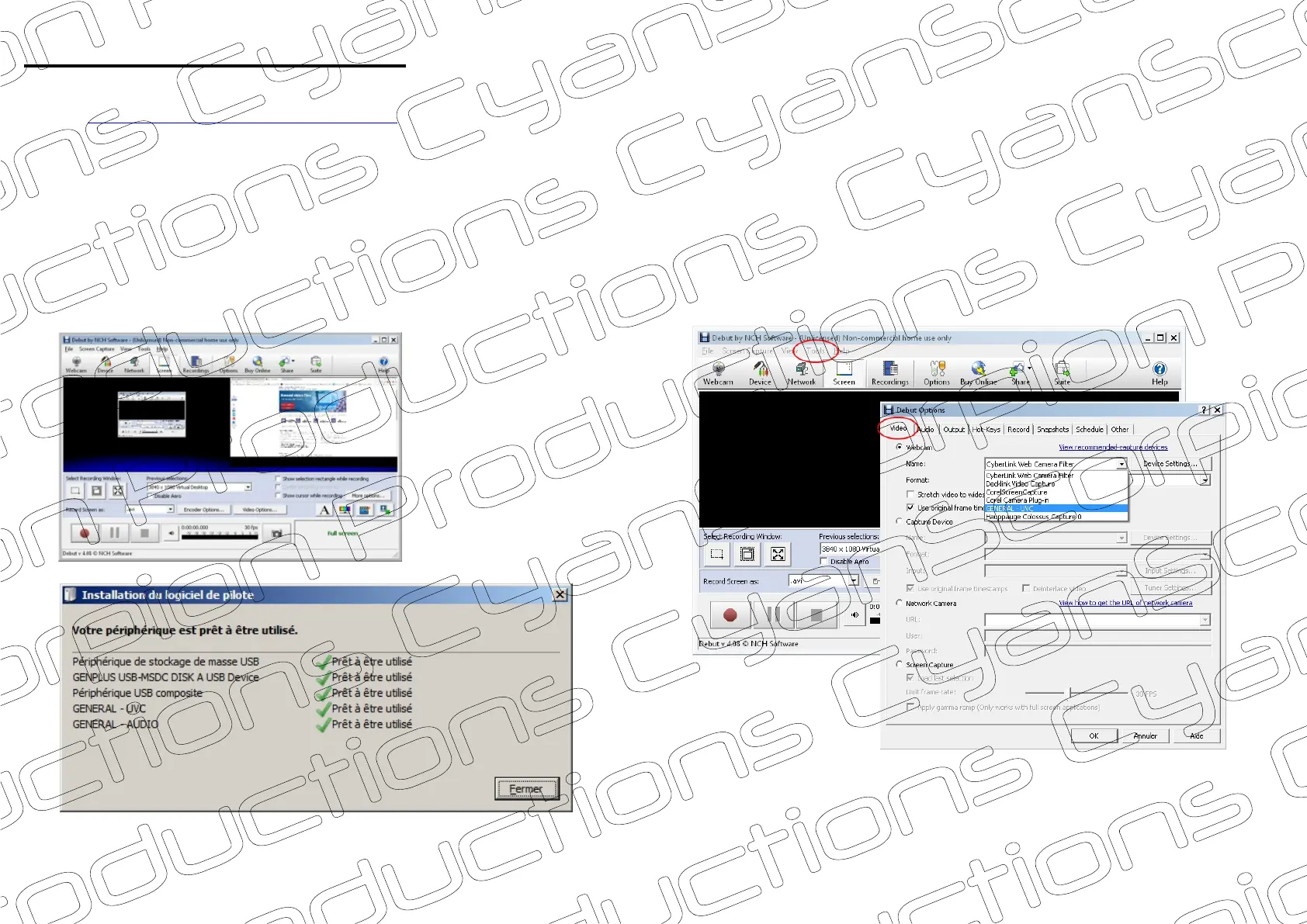
- Turn on the camera and connect it to the computer using the supplied cable. The camera is now charging and the mass storage
drivers will be installed . Wait until these drivers are completely installed. Now push the on/off button. Supplemental video and
audio drivers will be installed . During all these operations the red LED flashes, no matter if your are in video mode or in
charging/access mode. (note : you do not need to remove the SD-card). Next time you connect the camera to the computer,
the camera will directly start in charging/access mode. You need to push the on/off button to switch to the video transfer mode.
- Start the program now. Open the ‘Tools’ menu , then ‘Options’. In the Video tab, chose the device ‘GENERAL -UVC ’
- The A3s is now ready for use
‘Debut Video Capture Software ’
(1)
(2)
(3)
(4) (5)
(1)
(2)
(3)
(4)
}
}
(5)
6/7


 To Next Page