14
Owner’s manual
EN
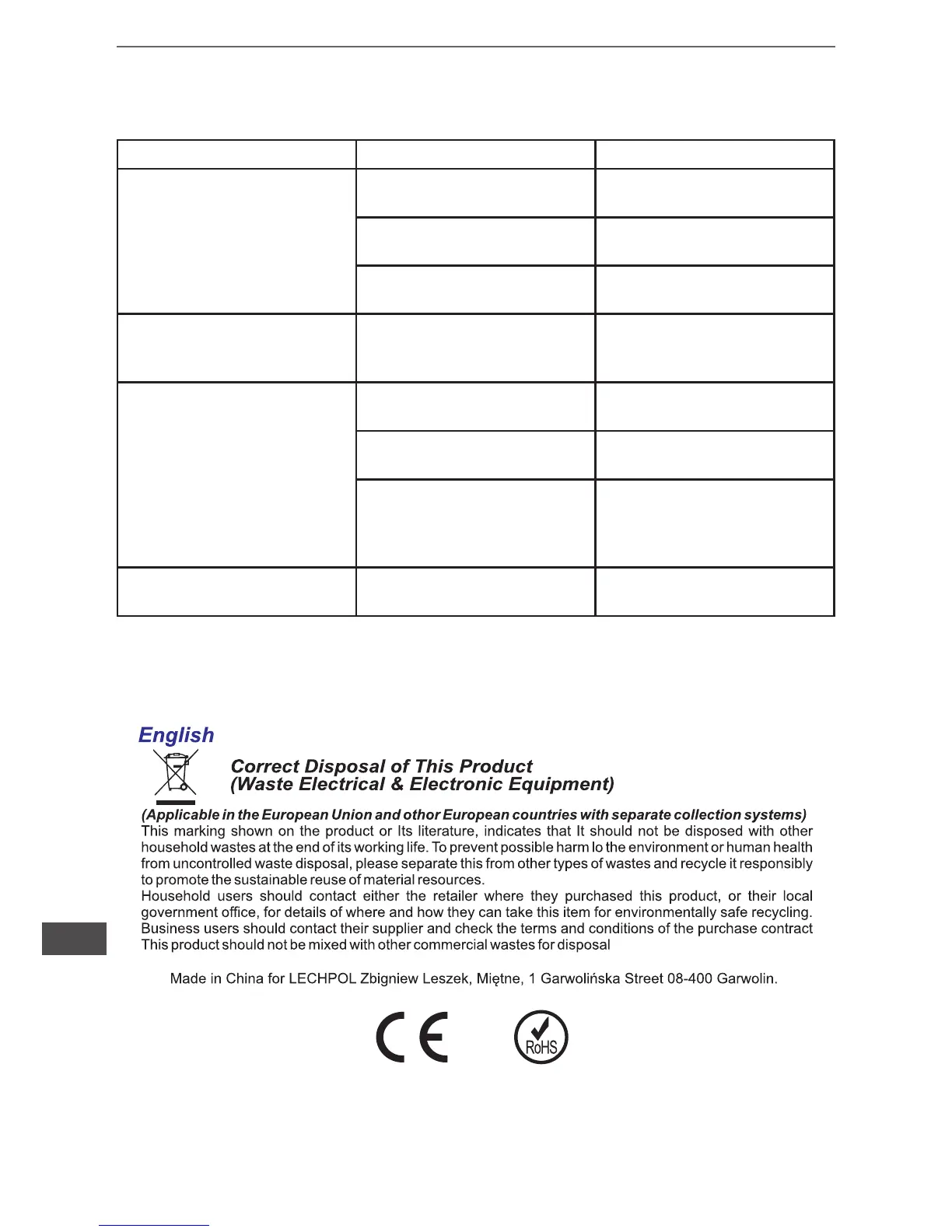
TROUBLE SHOOTING
Symptom Possible Cause Remedy
No LED display on the front
panel
1. Battery weak 1. Charge battery up to 8
hours
2. Battery defect 2. Replace with the same type
of battery
3. Power switch is not
pressed
3. Press the power switch
again
Alarm buzzer beeps
continuously when AC supply
is normal
Overload of the UPS Verify that the load matches
the UPS capability specied
in the specs
When power failure,
back-up time is
shorten
1. Overload of the UPS 1. Remove some non-critical
load
2. Battery voltage is too low 2. Charge battery 8 hours or
more
3. Battery defect due to high
temperature operation
environment, or improper
operation to battery
3. Replace with the same type
of battery
Mains normal but Yellow LED
is ashing
Power cord is loose Reconnect the power cord
prop


 To Next Page