EasyManua.ls Logo

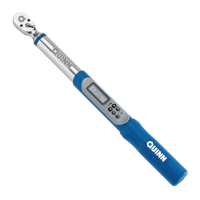
QUINN 64916 - User Manual

Default Icon
8 pages
Print Icon
To Next Page IconTo Next Page
Loading...
Visit our website at: http://www.harborfreight.com
Email our technical support at: productsupport@harborfreight.com
Owners Manual & Safety Instructions
Save This Manual Keep this manual for the safety warnings and precautions, assembly,
operating, inspection, maintenance and cleaning procedures. Write the product’s serial number in the
back of the manual near the assembly diagram (or month and year of purchase if product has no number).
Keep this manual and the receipt in a safe and dry place for future reference. 18j
When unpacking, make sure that the product is intact
and undamaged. If any parts are missing or broken,
please call 1-888-866-5797 as soon as possible.
Copyright
©
2018 by Harbor Freight Tools
®
. All rights reserved.
No portion of this manual or any artwork contained herein may be reproduced in
any shape or form without the express written consent of Harbor Freight Tools.
Diagrams within this manual may not be drawn proportionally. Due to continuing
improvements, actual product may differ slightly from the product described herein.
To ols required for assembly and se rv ic e m ay n ot b e i nc lu de d .
Read this material before using this product.
Failure to do so can result in serious injury.
SAVE THIS MANUAL.

Questions and Answers

  • T
    Tyler WalkerAug 9, 2025
    What to do if QUINN 64916 Power Tool display shows instead of saving torque or angle measurements?
    • L
      leejessicaAug 9, 2025
      If the QUINN Power Tool wrench displays shows instead of saving torque or angle measurements, it means that the wrench has no available memory. To resolve this, delete previously saved measurements to allow new measurements to be saved.
  • C
    chadreynoldsAug 19, 2025
    Why does my QUINN 64916 Power Tool display continue to flash?
    • K
      Keith LiuSep 12, 2025
      If the display of your QUINN Power Tool continues to flash, it indicates that the wrench moved or the anvil turned while preparing for angle measurement. Ensure the wrench is resting on a stable surface, then press the button to try angle measurement preparation again.
  • M
    michellesmithAug 29, 2025
    How to fix QUINN Power Tool when display will not turn on or display is dim?
    • D
      Dominique SimonAug 29, 2025
      If the display of your QUINN Power Tool will not turn on or is dim, it's likely due to low battery power. Install new or recharged batteries, ensuring they are placed in the correct polarity. Avoid mixing alkaline, standard (carbon-zinc), or rechargeable (nickel-cadmium) batteries.

Summary

IMPORTANT SAFETY INFORMATION

Operation

Battery Installation

Instructions for installing AA batteries into the torque wrench.

Controls

Overview of the digital torque wrench control buttons and indicators.

Measuring Torque

Setting Target Torque and Applying Force

Select target torque, adjust, apply force slowly, and save measurement.

Measuring Angles

Setting Target Angle and Applying Force

Select target angle, prepare, apply force, and save measurement.

Troubleshooting

QUINN 64916 Specifications

General IconGeneral
BrandQUINN
Model64916
CategoryPower Tool
LanguageEnglish

Related product manuals