3
Index
1. Safety Precautions .................................................................................. 5
2. General information ................................................................................. 6
2.1 Technical data ....................................................................................................................... 6
2.2 Components .......................................................................................................................... 7
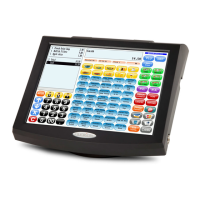
2.2.1 POS Concerto ................................................................................................................... 7
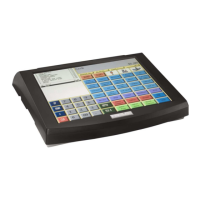
2.2.2 POS QTouch2 ................................................................................................................... 8
2.3 Operating modes ................................................................................................................... 8
2.4 Interfaces ............................................................................................................................... 9
2.4.1 Pin Assignment .............................................................................................................. 10
2.4.2 Adapter Cable for RS232................................................................................................ 10
2.5 Names of Keys and Their Function .................................................................................... 12
3. Getting Started ....................................................................................... 14
4. Sign in and Register .............................................................................. 14
4.1 Sign in a Clerk/Sales Person .............................................................................................. 14
4.2 Register a Department ........................................................................................................ 15
4.3 Register Pre-Programmed PLU’s ....................................................................................... 15
4.4 Enter a New Price ................................................................................................................ 15
4.5 Create a PLU during the Sale ............................................................................................. 16
4.6 Multiplication/Division ........................................................................................................ 17
4.7 Holding a Sale ..................................................................................................................... 18
4.8 Tendering in Local Currency .............................................................................................. 18
4.9 Tendering in Foreign Currency .......................................................................................... 19
4.10 Receipt On/Off and Receipt Copy .................................................................................... 19
4.11 Time and Date .................................................................................................................... 19
4.12 No Sale / Open Drawer ...................................................................................................... 19
5. Corrections ............................................................................................ 20
5.1 Clearing of Inputs and Error Messages ............................................................................ 20
5.2 Error correction ................................................................................................................... 20
5.3 Void 20
5.4 Refund.................................................................................................................................. 21
5.5 Transaction Refund ............................................................................................................. 21
5.6 Transaction Cancel ............................................................................................................. 22
5.7 Tender Correction ............................................................................................................... 22
6. Discounts, RA and PO ........................................................................... 22
6.1 Percentage Discount/Surcharge ........................................................................................ 22
6.2 Amount Discount/Surcharge .............................................................................................. 23
6.3 Received on Account / Paid Out ........................................................................................ 23
7. Using Shift Levels .................................................................................. 24
7.1 PLU/Department Shift ......................................................................................................... 24
7.2 Price Shift ............................................................................................................................ 24
7.3 Tax Shift ............................................................................................................................... 24
7.4 Keyboard Levels ................................................................................................................. 25


 To Next Page