• Turn lights ON: Single press
• Increase brightness: Press and hold, release at desired setting
• Increase to maximum brightness level: Double press
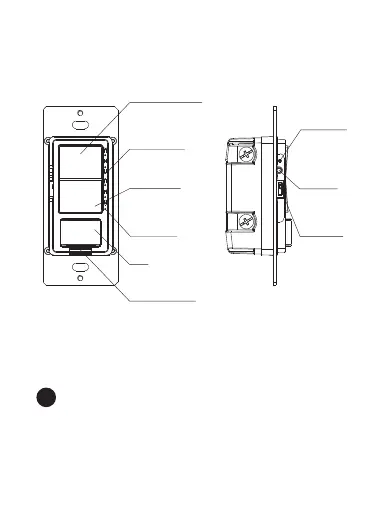
On/Up Paddle
2a
• Short Press: Within 0.5 seconds
• Long Press: Over 0.5 seconds
• Double Press: Within 1 second
XDIM/LCBS:
PIR
Power
Indicator
Power Cutoff
Switch
Brightness
Indicator
Off/Down
Paddle
On/Up Paddle
Status
Indicator
Reset
Button
Phase
Selector
Switch


 To Next Page