5
2 Technical overview
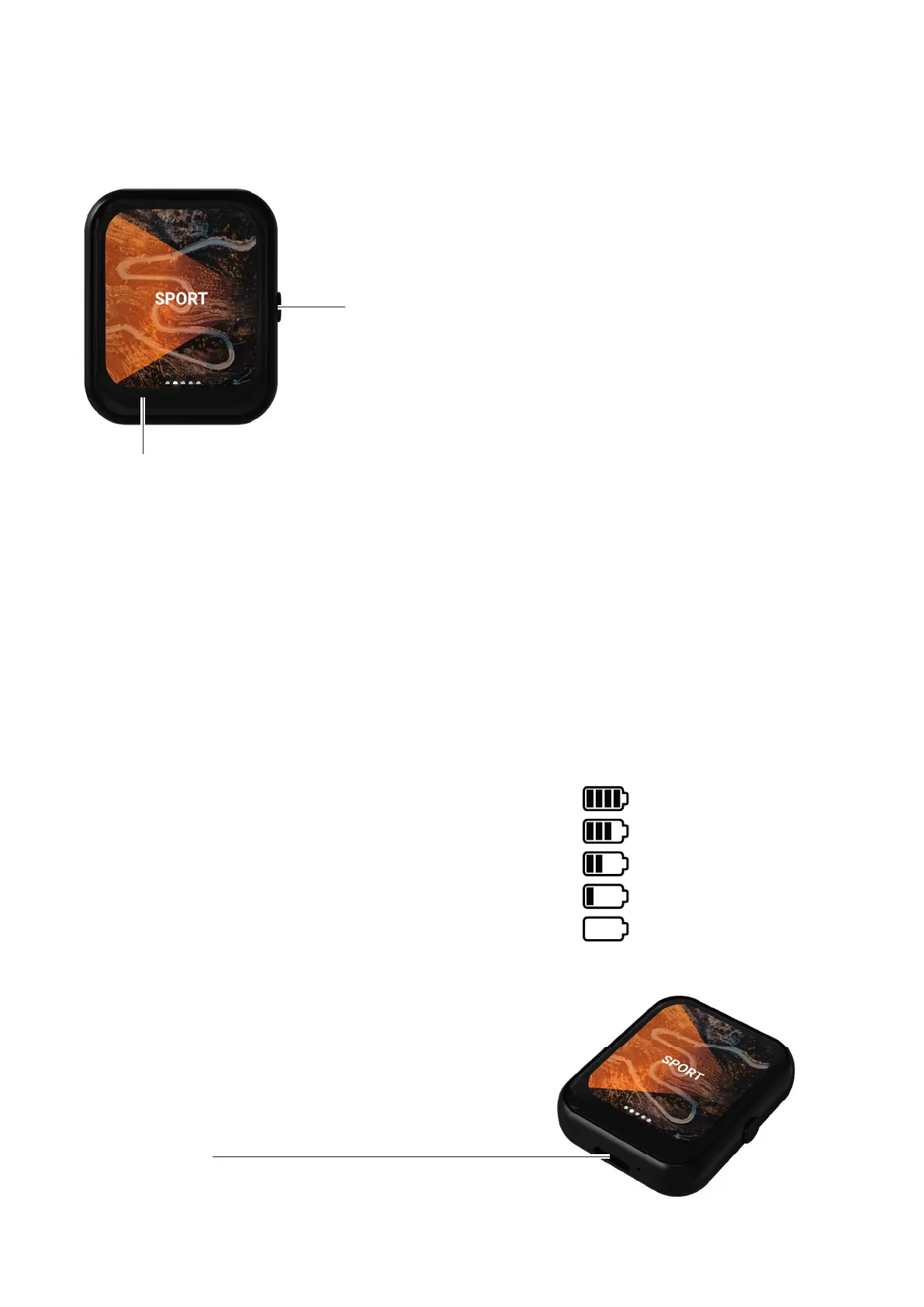
USB-C interface
Charging time: approx. 1h with a 5V/ 3A charging source.
2.1. Control panels
Back
On/Off (Hold 3s)
As the only mechanical button, this button is used to switch
the remote controller on and off. In addition, the button can
be equated with a „back button“ when pressed brie y. This
simpli es navigation through the menu.
LCD Touch Display
The display is the main interface for using the controller. By swiping to the left and right, the
driving modes are selected and by tapping the control surfaces on the display, the menu items
can be navigated.
2.2. Display
• 1.69“ LCD TFT Touch Display
• Resolution 240 x 280p
2.3. Battery
• Battery capacity 200mAh
• Battery voltage 3.7V
• Battery life in standby mode approx. 150 hours
• Battery life in continuous mode approx. 24 hours
100% - 75%
74% - 50%
49% - 25%
24% - 5%
Please load
Battery indicator:
2.3.1 Charging
Charging is possible with a standard USB-C cable and a
5V/1A charging source. A power source with a supply
of 3A is necessary for full charging speed.


 To Next Page