
 Need help?
Do you have a question about the RaceChip XLR 5 and is the answer not in the manual?
For wireless operation of the XLR5 controller.
For mounting the controller using the included adhesive dot.
Details the back button functionality and LCD touch display interaction.
Lists display type, size, and resolution (1.69" LCD TFT, 240x280p).
Provides battery capacity (200mAh), voltage (3.7V), and estimated battery life.
Explains the charging process using a USB-C cable and power source requirements.
Guidance on mounting the controller on the dashboard for optimal visibility and reach.
Instructions on how to detach and reattach the controller from its base.
Steps to connect the XLR5 controller with the RaceChip+ app via Bluetooth.
Procedure for connecting the controller if not done during initial app pairing.
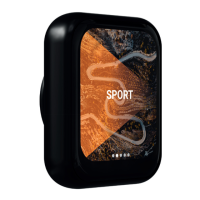
Details available driving modes (RACE, SPORT, ECO, WET, OFF) and home screen display.
Explains how to adjust throttle response levels for different driving modes.
Guide on navigating through the controller's main menu options.
Covers language selection, firmware updates, and certifications.
Details the anti-theft system's functionality and activation process.
Explains how to set a throttle pedal limit between 40% and 80%.
Describes the valet mode for limiting throttle pedal performance for service personnel.
Explains using the controller screen as a flashlight for installation assistance.
Important safety precautions related to the controller's lithium-ion battery and potential hazards.
Solutions for problems like no connection or brief power-offs of the controller.
Steps to resolve issues when the throttle pedal calibration is not successful.
Troubleshooting for when limiter, valet, or anti-theft functions are unavailable.
Diagnosing and fixing problems related to the throttle pedal function.
Addressing issues where the car reverts to stock performance due to security mechanisms.
How to contact RaceChip customer service and find support online.
Company details, tax information, and registration for RaceChip Chiptuning GmbH.
 General
| Brand | RaceChip |
|---|---|
| Model | XLR 5 |
| Category | Controller |
| Language | English |

 To Next Page