9
4 Operation
4.1.2. Set up controller individually
If the controller was not registered and connected during the rst app connection, it can be
connected subsequently.
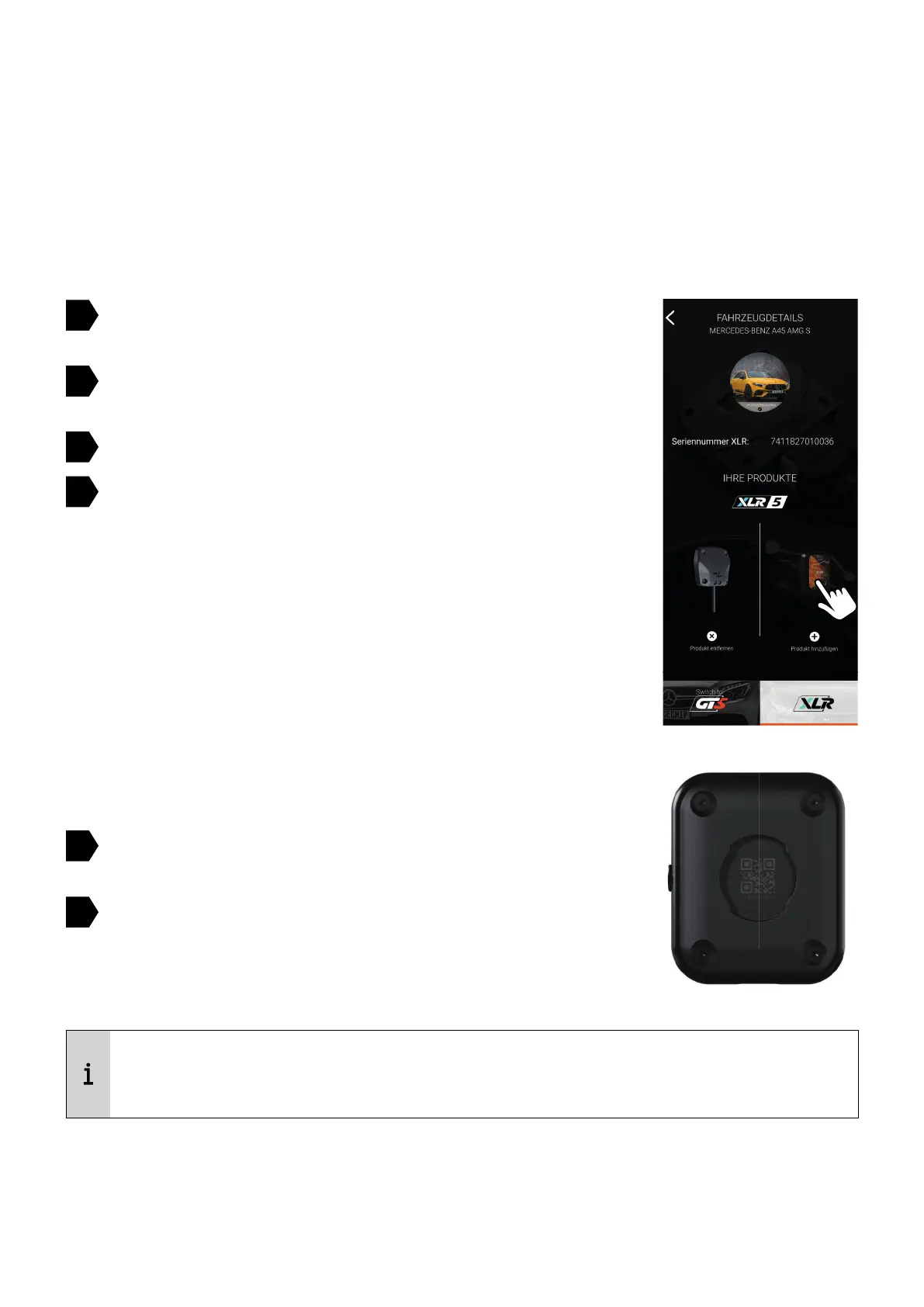
Switch on the ignition and wait for a connection between the
app and the Brainbox
In the menu, open the vehicle pro le and navigate to the XLR
page (right image)
Add controller
Turn on the controller (long press on the button on the right
edge)
Scan the QR code on the back of the controller (picture on the
right)
The controller will be connected automatically
1
2
3
4
5
6
The controller is only compatible with XLR5 modules. Previous modules are only
controllable with the app and the wired controllers.


 To Next Page