Racelogic Ltd Lap Timing Mode
02/05/2014 Page 23
Using PerformanceBox to review lap times
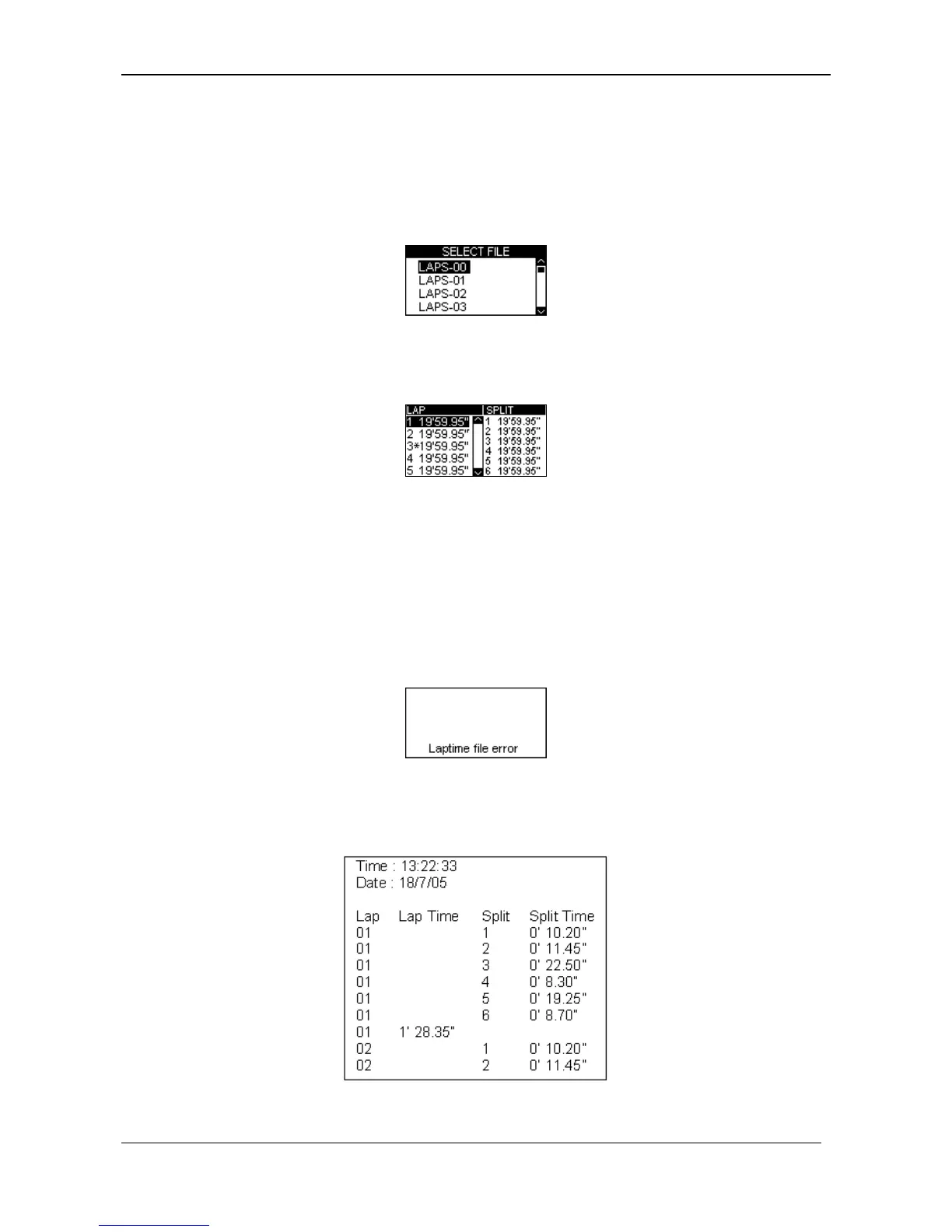
To review a ‘Laps-xx.txt’ file with lap and split time data:
Enter Lap Timing Mode and then press the OK button.
PerformanceBox will then display any Lap Timing files stored on the card:
Press the ▲▼buttons to scroll to the required file, then press the OK button to select it.
The file will then be displayed in PerformanceBox:
In each file, the best lap is indicated with an asterisk. To change the lap for which split times are
displayed, use the▲▼ buttons to scroll between the laps; the split times will update
automatically. Pressing the OK button in this screen will return you to the Lap Timing Mode’s main
screen.
Laptime File Error
If a file that does not contain any valid lap data, for instance if the car has only moved a few metres,
then PerformanceBox will display this screen:
Using a computer to review lap times
Any of the ‘Laps-xx.txt’ files can be opened using a text editor program such as notepad. The files
have the following example format:


 To Next Page