Racelogic Ltd PerformanceTools Software
02/05/2014 Page 62
Importing a background image in to the Graph Map
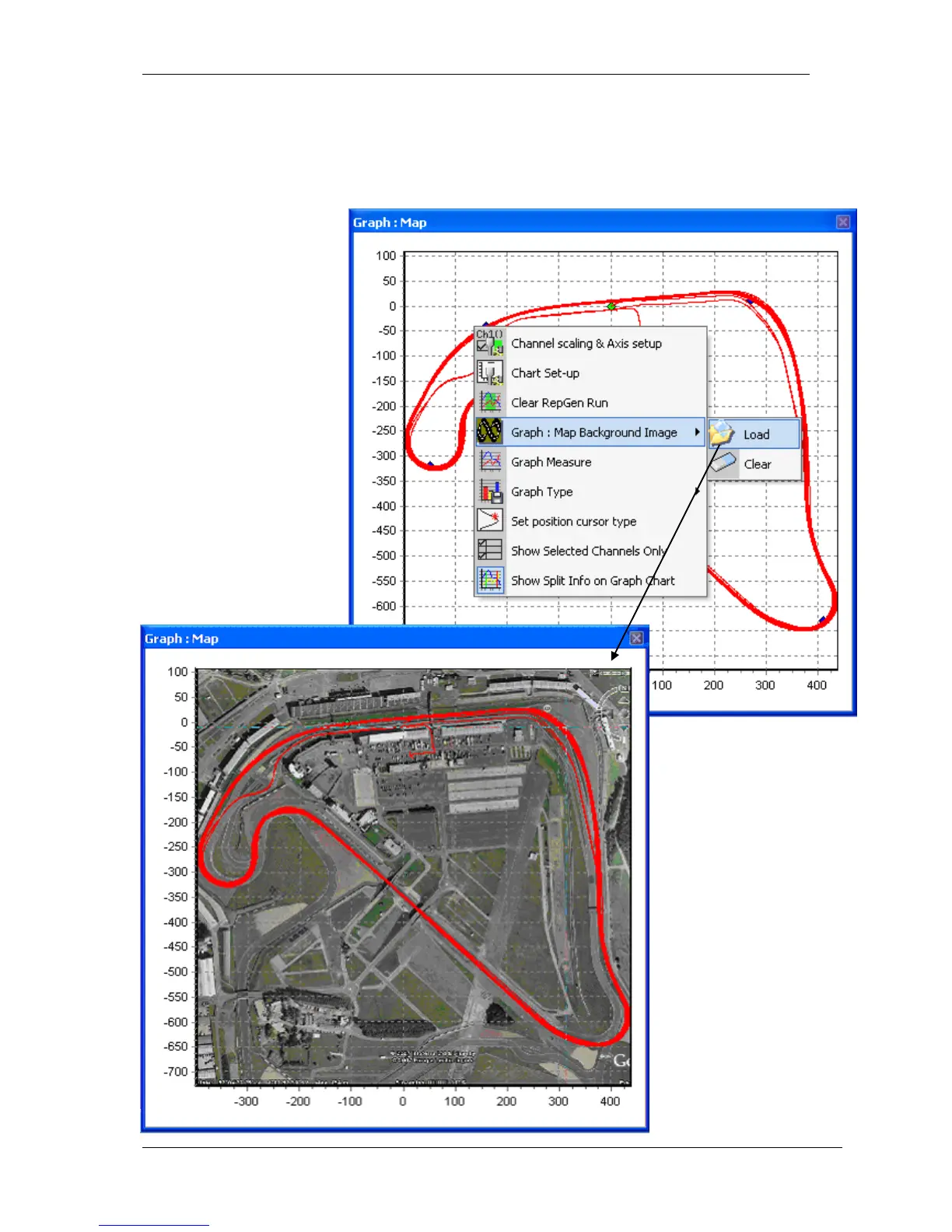
You can import any image of your choosing into the Graph Map by right-clicking on either the
Graph:Data, Graph:Map, or Graph windows and selecting the Graph: Map Background
Image>Load option:
The image will need to be
resized and scaled to fit
correctly in the Graph:Map
window.


 To Next Page