Racelogic Ltd PerformanceTools Software
02/05/2014 Page 53
Loading and comparing individual laps from the same file
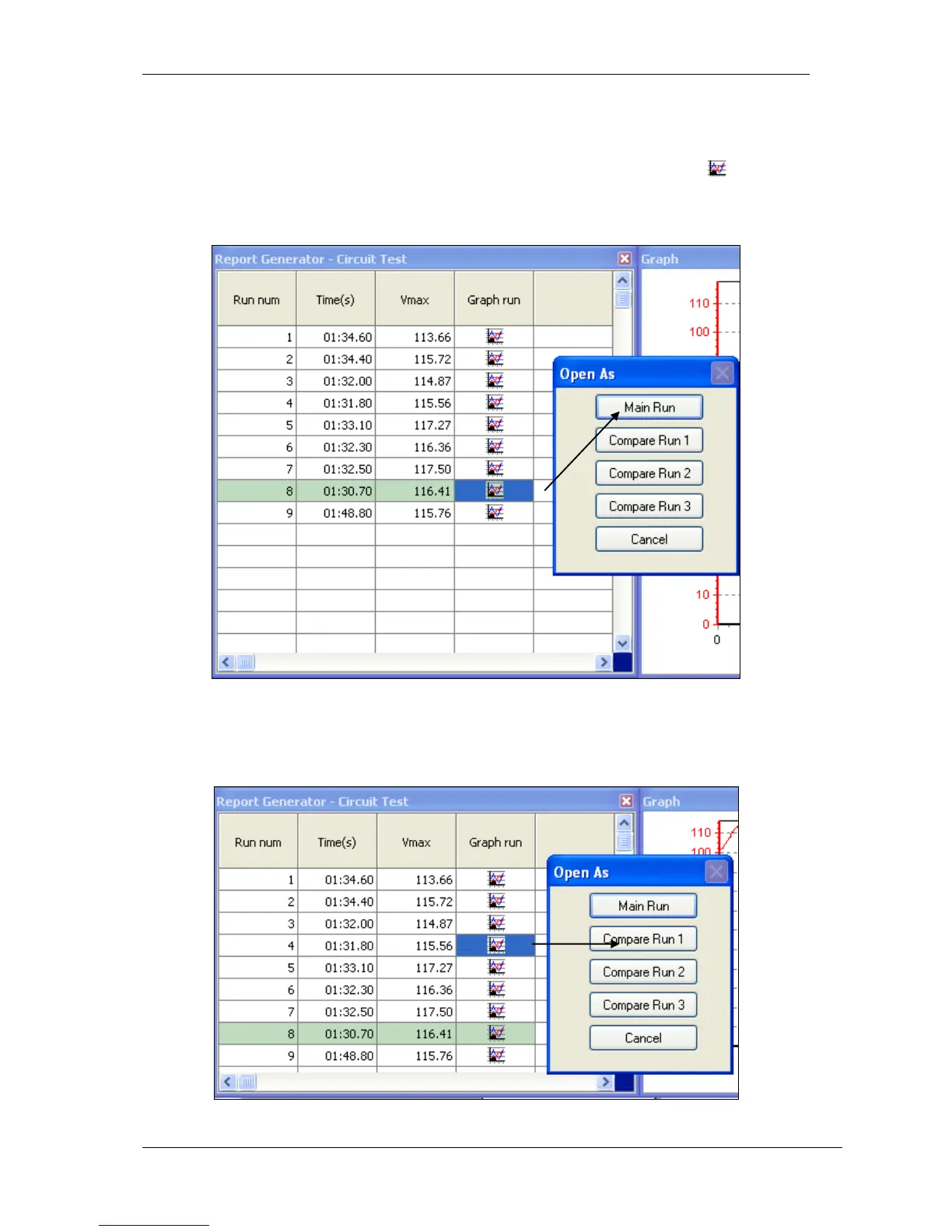
Individual laps from the loaded file can be compared to each other in the main Graph and
Graph:Map windows. Each lap shown in the Lap timing table has a Graph Icon
associated with it in the right hand column. Clicking one of these buttons allows that lap to be
individually graphed:
You will now have one individual lap displayed in the Graph window, and one corresponding
column in the Graph:Data window. From the results window, select a compare lap by clicking
a different Graph Icon, in this example the next fastest lap:


 To Next Page