4
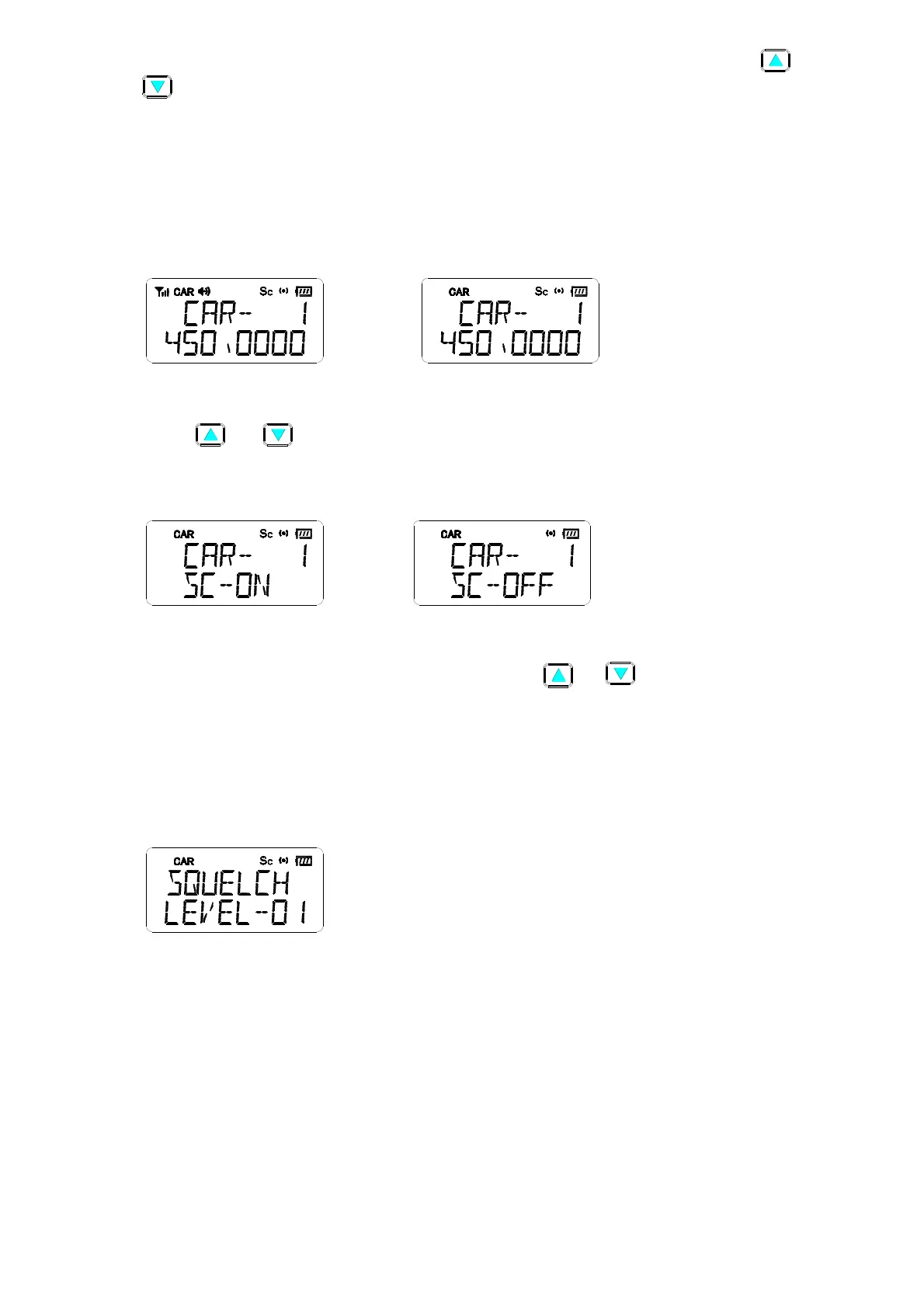
At CAR channel mode, press “SCAN” button to scan the “CAR Scan List”, press “ “ or
“ “ button to choose the scan channel fequence increasing or decreasing. Press “SCAN“ button
again will stop the scan function, and will go back to the channel before scanning. But if signal
received during the scanning, pressing “SCAN” button, radio will stop at this channel. (See LCD
indicator in Figure (4-1))
The scan frequency shows & icon [Sc] flashes during scanning, it will stop if signal received. When
signal disappears, it will hold two seconds then continue the scan function.(See LCD indicator in
Figure (4-2) )
(4-1) (4-2)
4.6 CAR Scan List Setting
Press “ “ or “ “ button to choose the desired CAR channel , press “F” + “SCAN” buttons to
add into or delete from the scan list. The LCD “Sc” icon turns on when this CAR channel is set into
Scan List. (See LCD indicator in Figure (5-1) & (5-2) )
(5-1) (5-2)
4.7 Set squelch level
Press “F”+”2” buttons to the SQ level setting mode. Press “ “or “ ” button to choose level 1~3
(Level 1 has the highest sensitivity), press “Enter” button to store the setting & go back to previous
channel. The default setting is level 1 which is programmed by program software(See LCD indicator
in Figure( 6) )
Note: During this setting, “SCAN”, digit buttons will be disabled, and error tone will be heard when
pressed.
(6)
4.8 Set battery saving
Set by PC programmer. The cycle of battery saving are as below: Level 1 is 100ms on & off, Level 2
is 100ms on & 200ms off, Level 3 is 100ms on & 300ms off, level 0 is on all of time.
4.9 Set To [MRN] Station
Press “F” +” MRN “ buttons to [MRN station], Press “F”+” MRN“ buttons again will go back to
previous channel,The MRN frequency could be changed by PC programmer. This channel has to
be program by program software only, the LCD indicate [PRN/MRN] in this mode.(See LCD
indicator in Figure (7) )


 To Next Page