6
(8-2)
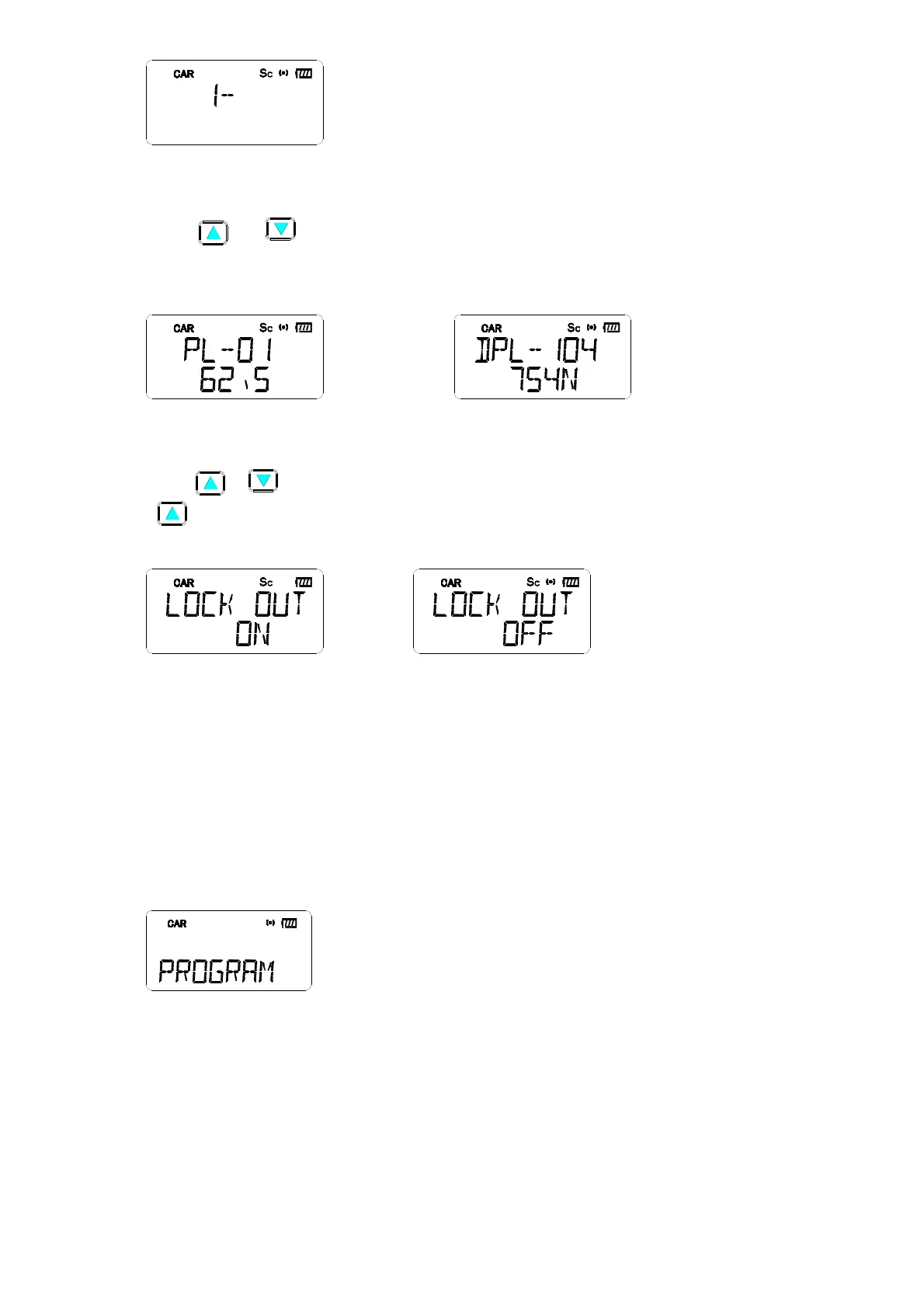
5.3 PL/DPL setting
Press “ “or “ ” button to choose 51 PL tone or 104 DPL codes.Press “Enter” to store the
settting and go to the LOCK OUT setting. The LCD will shows the PL tone or DPL code.(See LCD
indicator in Figure (8-3)&(8-4) )
(8-3) (8-4)
5.4 LOCK OUT setting
press “ “ “ , “ to choos ON /OFF,When CAR CAHNNEL is set to LOCK OUT ON, press
“ ” or using scan function , the LOCK OUT channel would be skipped.(LCD indicator in Figure
(8- 5)& (8- 6) )
(8-5) (8-6)
Note: During all these settings, press” F” +” CAR” button to store the settings and exit the
setting memu. After each setting, if no button pressed within 10 seconds, it will quit the
setting & go back to the channel before setting.
6. Programming
Connect the radio to PC through program cable, then you can go to the programming mode. The
LCD show
[PROGRAM] indicator when pragramming the data.(See LCD indicator in Figure (9) )
(9)
7. Clone
(1) Press “F”+”1” buttons to the clone mode.
(2) Connect the clone cable between two radios through 2.5φstero jack.
(3) Once using the Clone, pressing” Enter” button, the radio will enter into the Master mode and


 To Next Page