EasyManua.ls Logo

Rackmount 1000VA - User Manual

Rackmount 1000VA
15 pages
Print Icon
To Next Page IconTo Next Page
Loading...
U P S
Uninterruptible Power System
Line-Interactive Rack-Mount Network UPS
600VA/ 1000VA/ 1200VA
1500VA/ 2200VA/ 3000VA
USER‘S MANUAL

Questions and Answers

Summary

INTRODUCTION

IMPORTANT SAFETY INSTRUCTIONS

PRESENTATION

Front Panel (600 VA; 1000 VA), 1 U size

Describes the front panel layout for 600VA/1000VA models in 1U size.

Front Panel (1200 VA; 1500 VA), 2 U size

Details the front panel of 1200VA/1500VA models in 2U size.

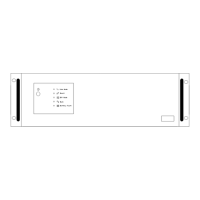
Front Panel (2200 VA; 3000 VA), 3 U size

Illustrates the front panel for 2200VA/3000VA models in 3U size.

Back Panel (600 VA; 1000 VA), 1 U size

Shows the back panel configuration for 600VA/1000VA models in 1U size.

Back Panel (1200 VA; 1500 VA), 2 U SIZE

Displays the back panel layout for 1200VA/1500VA units in 2U size.

Back Panel (2200 VA), 3 U SIZE

Illustrates the back panel for 2200VA models in 3U size.

Back Panel (3000 VA), 3 U SIZE

Details the back panel of 3000VA models in 3U size.

Power On Indicator

Explains the function of the 'Power On' indicator light.

BACKUP Indicator

Describes the 'BACKUP' indicator when power is from batteries.

Battery Fault Indicator

Details the 'Battery Fault' indicator for weak battery status.

Power Switch

Explains the function of the main power switch.

UPS Outlets

Describes the outlets providing backup power protection.

Bypass Power Sag Outlets

Details outlets offering bypass protection against power sags.

Circuit Breaker Protection

Explains the role of the circuit breaker for overload protection.

Phone Jack Communications Ports

Describes communication ports for telephone line protection.

Communication Function

Details the RS-232 interface and UPSMON software support.

INSTALLATION

Recharge the battery

Instructions for recharging the UPS battery before initial use.

Connect the loads

Guidance on connecting equipment to UPS outlets and bypass outlets.

Connect the telephone

Steps to connect telephone lines for fax/modem protection.

Connect to the utility power

How to connect the UPS to a grounded AC power receptacle.

UPS self-test

Information about the UPS's automatic self-test function upon startup.

Battery auto-charging

Explains that the battery charges automatically when connected.

Overload protection

How the UPS handles and indicates overload situations.

Optimal battery status

Recommendation for maintaining battery health.

Self-protection feature

Describes the unit's protection against improper handling.

Storage

Guidelines for storing the UPS with a charged battery.

Power failure

Behavior of the UPS during a power failure before self-test.

Installation with accessories of “Rack-mount” types

Instructions for installing rack-mount UPS units using various accessories.

OPERATION

Simple test

Procedure for performing a simulation test of the UPS.

Check the power requirement of your equipment

Guidance on verifying equipment power needs against UPS capacity.

Limited rating power of UPS

Notes on operating equipment within the UPS's power limits.

SOFTWARE AND COMPUTER INTERFACE

Power Monitoring Software

Information on UPSMON software for monitoring and shutdown.

Interface Kits

Details on interface kits for UPS monitoring with operating systems.

Characteristics of computer interface port

Describes the functions of the UPS computer interface port.

BATTERY CABINET

Batterys life of UPS

Information regarding the typical lifespan of the UPS battery.

Battery Replacement

Instructions for replacing the UPS battery.

APPENDIX A TROUBLESHOOTING

APPENDIX B SPECIFICATIONS

Summary

INTRODUCTION

IMPORTANT SAFETY INSTRUCTIONS

PRESENTATION

Front Panel (600 VA; 1000 VA), 1 U size

Describes the front panel layout for 600VA/1000VA models in 1U size.

Front Panel (1200 VA; 1500 VA), 2 U size

Details the front panel of 1200VA/1500VA models in 2U size.

Front Panel (2200 VA; 3000 VA), 3 U size

Illustrates the front panel for 2200VA/3000VA models in 3U size.

Back Panel (600 VA; 1000 VA), 1 U size

Shows the back panel configuration for 600VA/1000VA models in 1U size.

Back Panel (1200 VA; 1500 VA), 2 U SIZE

Displays the back panel layout for 1200VA/1500VA units in 2U size.

Back Panel (2200 VA), 3 U SIZE

Illustrates the back panel for 2200VA models in 3U size.

Back Panel (3000 VA), 3 U SIZE

Details the back panel of 3000VA models in 3U size.

Power On Indicator

Explains the function of the 'Power On' indicator light.

BACKUP Indicator

Describes the 'BACKUP' indicator when power is from batteries.

Battery Fault Indicator

Details the 'Battery Fault' indicator for weak battery status.

Power Switch

Explains the function of the main power switch.

UPS Outlets

Describes the outlets providing backup power protection.

Bypass Power Sag Outlets

Details outlets offering bypass protection against power sags.

Circuit Breaker Protection

Explains the role of the circuit breaker for overload protection.

Phone Jack Communications Ports

Describes communication ports for telephone line protection.

Communication Function

Details the RS-232 interface and UPSMON software support.

INSTALLATION

Recharge the battery

Instructions for recharging the UPS battery before initial use.

Connect the loads

Guidance on connecting equipment to UPS outlets and bypass outlets.

Connect the telephone

Steps to connect telephone lines for fax/modem protection.

Connect to the utility power

How to connect the UPS to a grounded AC power receptacle.

UPS self-test

Information about the UPS's automatic self-test function upon startup.

Battery auto-charging

Explains that the battery charges automatically when connected.

Overload protection

How the UPS handles and indicates overload situations.

Optimal battery status

Recommendation for maintaining battery health.

Self-protection feature

Describes the unit's protection against improper handling.

Storage

Guidelines for storing the UPS with a charged battery.

Power failure

Behavior of the UPS during a power failure before self-test.

Installation with accessories of “Rack-mount” types

Instructions for installing rack-mount UPS units using various accessories.

OPERATION

Simple test

Procedure for performing a simulation test of the UPS.

Check the power requirement of your equipment

Guidance on verifying equipment power needs against UPS capacity.

Limited rating power of UPS

Notes on operating equipment within the UPS's power limits.

SOFTWARE AND COMPUTER INTERFACE

Power Monitoring Software

Information on UPSMON software for monitoring and shutdown.

Interface Kits

Details on interface kits for UPS monitoring with operating systems.

Characteristics of computer interface port

Describes the functions of the UPS computer interface port.

BATTERY CABINET

Batterys life of UPS

Information regarding the typical lifespan of the UPS battery.

Battery Replacement

Instructions for replacing the UPS battery.

APPENDIX A TROUBLESHOOTING

APPENDIX B SPECIFICATIONS

Rackmount 1000VA Specifications

General IconGeneral
BrandRackmount
Model1000VA
CategoryUPS
LanguageEnglish