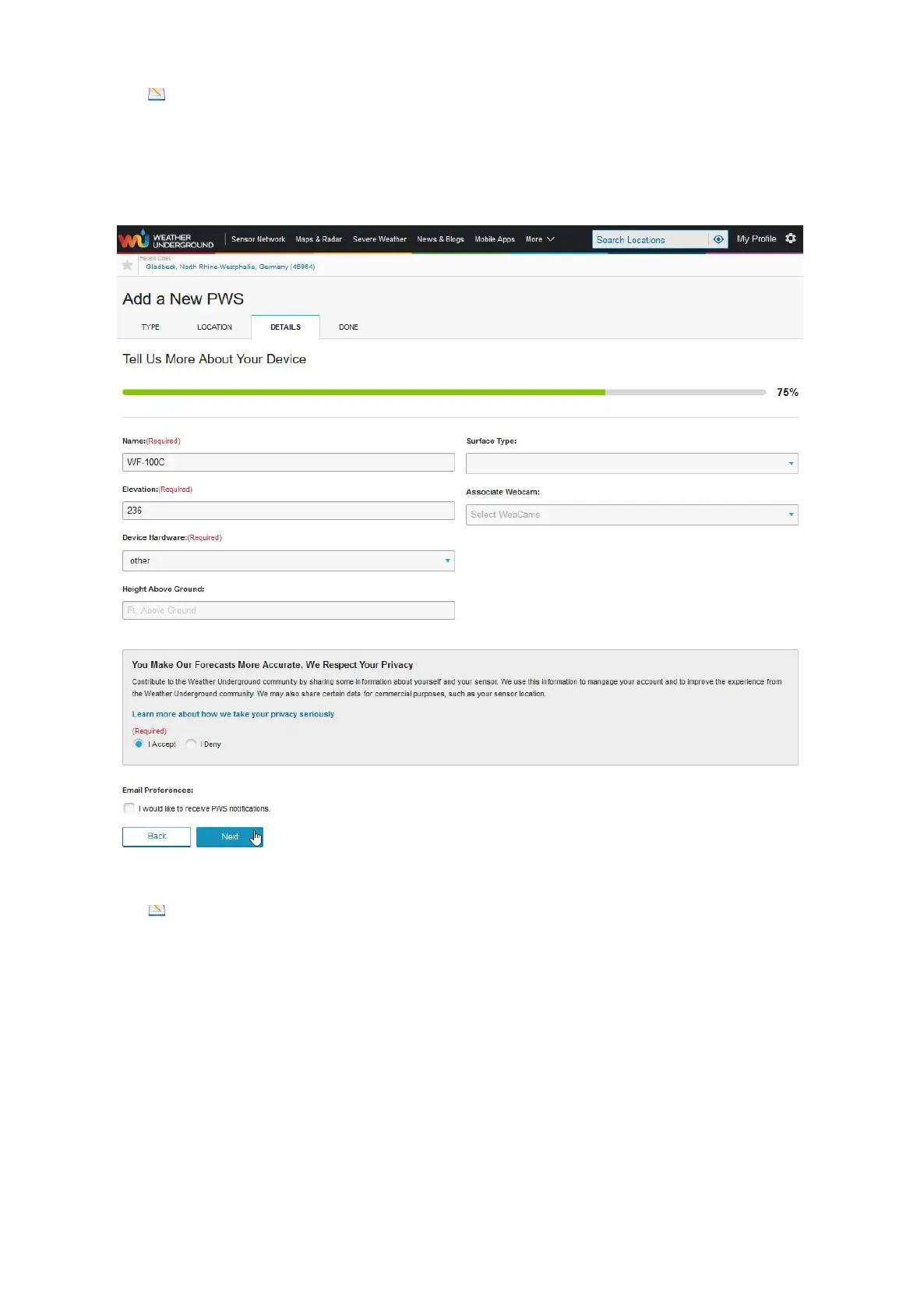
11) Note: The blanks marked with a red "(Required)" are mandatory fields.
As a rule, you do not have to change the pre-filled fields, so that it is usually
sufficient to give your weather station a name. With Weather Underground you as a
user must accept the conditions associated with the use of the portal by clicking "I
Accept", then click “Next”. Only then can you complete the entries by clicking on the
button labeled “Next”.
12) Note: Make a careful note of the content of the two fields (if necessary, click
"Copy credentials" to copy the content to a file using cut & paste for later use). Both
"Station ID" and "Station Key" must be stored in the display unit via the web interface.
Otherwise, no data can be transmitted from your weather station to Weather
Underground. You can find more information on this in Section 10.3.
If you now click on the "View Devices" button, your weather station and the
associated ID and key will be displayed.


 To Next Page