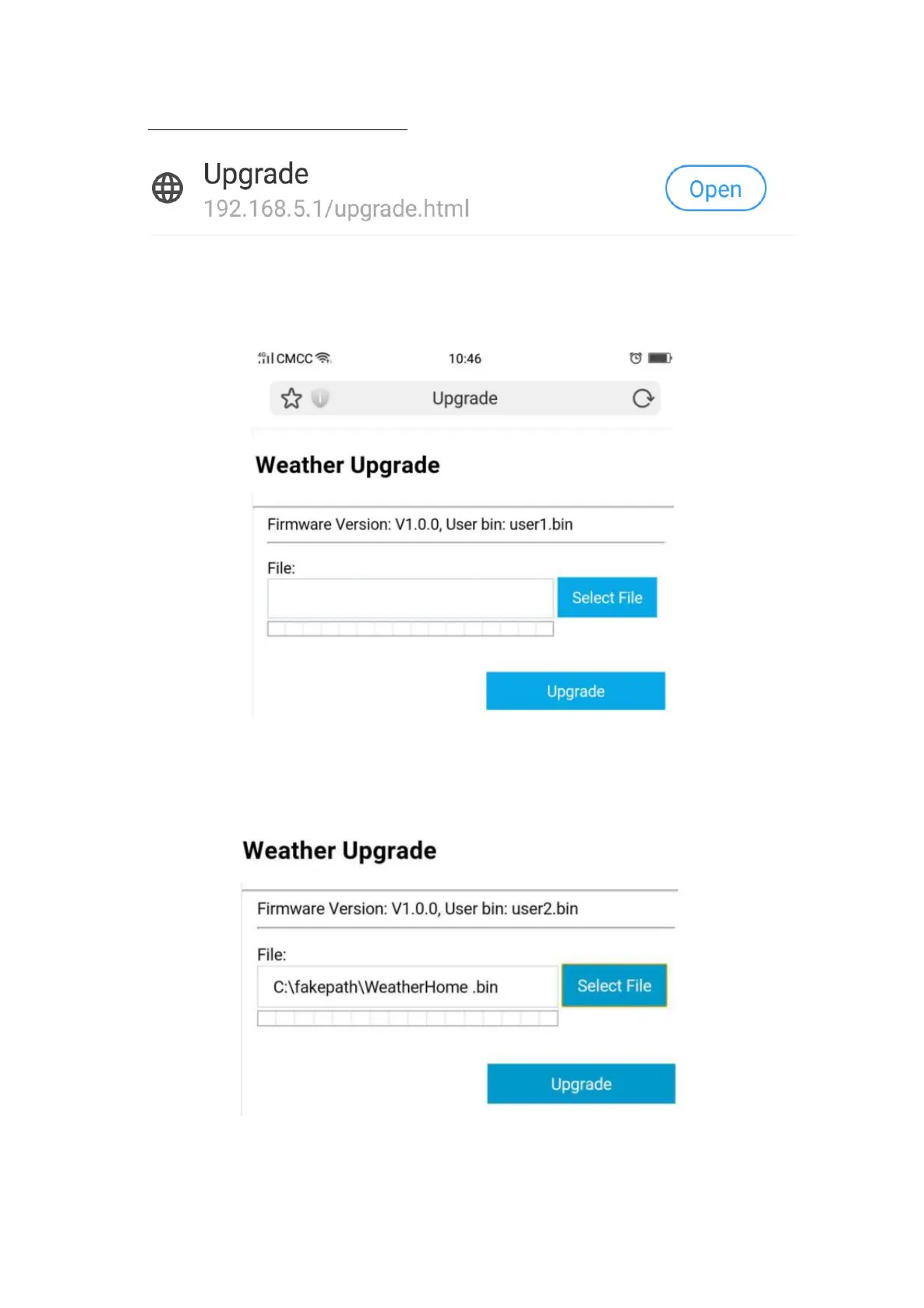
1) Once connected, enter the following IP address into the any browser’s address
bar: http://192.168.5.1/upgrade.html
2) Then click the “Open” button. The following website will then be displayed on your
browser.
3) Now click “Select File” button and select the binary file (extension “.bin”) intended
for updating your display unit in the window that opens on your terminal device.
4) Then click “Upgrade” and start to update. Once the process has been successfully
completed, a pop-up will reminds you that the display unit will be restarted.


 To Next Page