True to the Music
®
Radial Engineering Ltd.
BT-Pro™ Bluetooth DI
3
MAKING CONNECTIONS
Before making any audio connections to the BT-Pro, always ensure your
audio system is either turned down or turned o in order to protect more
sensitive components from damage caused by loud turn-on or plug-in
transients.
POWERING THE BT-PRO
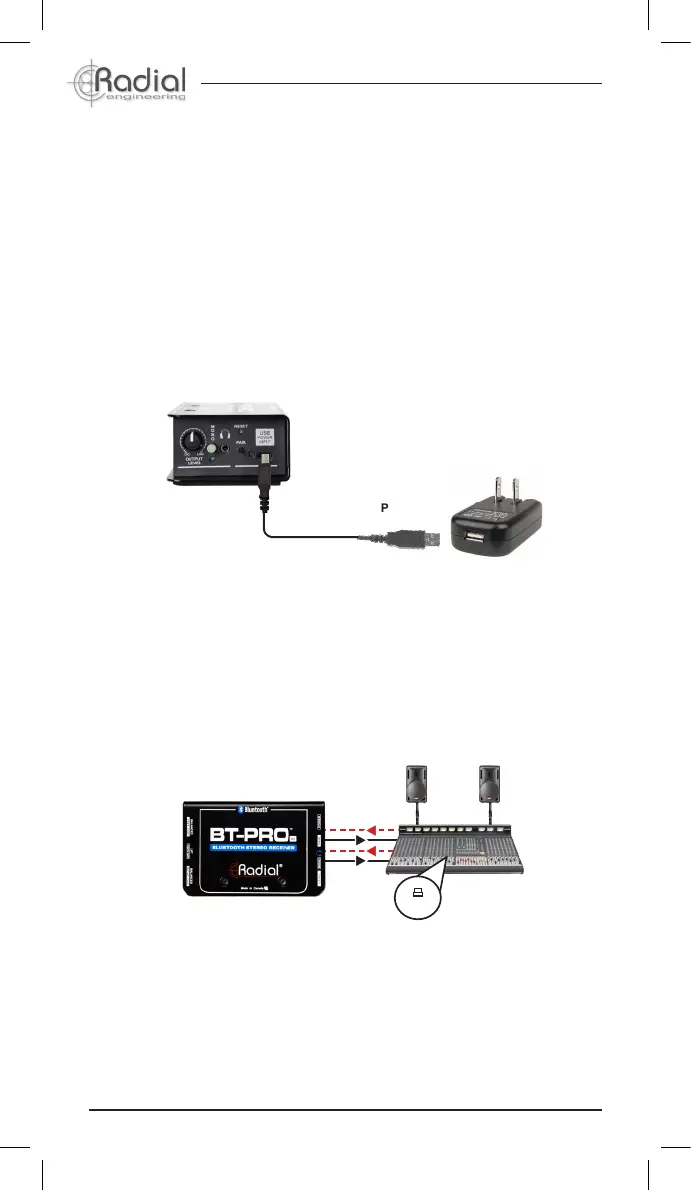
The BT-Pro uses a USB Type-C connector and cable for its power
requirements. Use the included ‘USB-C to USB-A’ cable and connect to a
computer, USB hub or the included USB wall charger. You may also use
any standard USB wall charger that is included with most phones and
tablets, as the BT-Pro will only draw a small amount of current.
TYPE-A USB
TYPE-C USB
Alternatively, when connected to microphone inputs, the BT-Pro can
be operated using 48V phantom power - which is available on the vast
majority of mixing consoles and recording interfaces. Simply engage
phantom power on both channels that are connected to the XLR outputs
of the BT-Pro, then press the PAIR button. The PAIR LED will illuminate to
indicate that the BT-Pro is receiving power and ready for use.
Both methods of powering the BT-Pro can be used simultaneously,
providing redundant power sources that will allow the BT-Pro to continue
working even if one source fails.
Powering the BT-Pro using the included supply
Powering the BT-Pro using 48V phantom power
48V
Power
Audio


 To Next Page