EasyManua.ls Logo

Radial Engineering StageBug SB-2 - User Manual

Radial Engineering StageBug SB-2
2 pages
Print Icon
To Next Page IconTo Next Page
Loading...
StageBug SB-2
Passive Direct Box
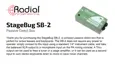
Thank you for purchasing the StageBug SB-2, a compact passive direct box that is
perfect for active basses and keyboards. The SB-2 does not require any power to
operate: simply connect to the input using a standard 1/4" instrument cable, and take
the balanced XLR output to a microphone input on the PA mixing console. A Thru
output can be used to feed a tuner or a stage amplier, or it can be used as a second
input to sum stereo keyboards down to mono to save mixer channels.
All manuals and user guides at all-guides.com

Other manuals for Radial Engineering StageBug SB-2

Question and Answer IconNeed help?

Do you have a question about the Radial Engineering StageBug SB-2 and is the answer not in the manual?

Radial Engineering StageBug SB-2 Specifications

General IconGeneral
TypeDI Box
Channels2
Input Connectors2 x 1/4" TRS
Transformer IsolatedYes
Ground LiftYes
Frequency Response20 Hz - 20 kHz
Input Impedance1 MΩ
Power SupplyPassive
PadNo
Connectors1/4" TRS, XLR
Output ConnectorsXLR
ConstructionSteel chassis
Weight0.75 lbs

Summary

StageBug SB-2 Passive Direct Box

Product Overview and Functionality

Introduction to the StageBug SB-2, its passive operation, and connectivity for PA systems.

Quick Start Guide

Electric Bass Connection

Instructions and diagram for connecting the StageBug SB-2 with an electric bass.

Keyboard Connection

Instructions and diagram for connecting the StageBug SB-2 with a keyboard.

Related product manuals