EasyManua.ls Logo

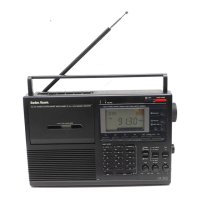
Radio Shack DX-392 - User Manual

Radio Shack DX-392
40 pages
Print Icon
To Next Page IconTo Next Page
Loading...
Cat. No. 20-219B
OWNER’S MANUAL
PLL ALL-BAND PORTABLE RECEIVER
Please read before using this equipment.
DX-392
WITH CASSETTE RECORDER
20-219.fm Page 1 Wednesday, August 4, 1999 9:23 AM

Table of Contents

Questions and Answers

  • J
    Jeremy RiosJul 30, 2025
    What to do if the frequency on my Radio Shack DX-392 doesn't change when turning the ROTARY TUNING?
    • B
      Brent BuckleyJul 30, 2025
      If the frequency on your Radio Shack Cassette Player does not change when you turn the ROTARY TUNING, check the FAST/FINE/LOCK switch. If it is set to LOCK, change it from LOCK.
  • R
    rbyrdAug 10, 2025
    Why does my Radio Shack Cassette Player have weak sound?
    • J
      Jessica Brown PhDAug 10, 2025
      If your Radio Shack Cassette Player has weak or intermittent sound, it could be due to several reasons. First, try replacing the batteries, as weak batteries are a common cause. Another reason may be that the antenna needs adjustment, so try adjusting it. If you are inside a vehicle or metal frame building, metal might be blocking the signal; try moving the receiver near a window. Also, the frequency may need fine tuning.
  • C
    Christopher TurnerAug 18, 2025
    Why does the scan on my Radio Shack Cassette Player stop when there is no clear signal?
    • D
      douglas34Aug 18, 2025
      If the scan on your Radio Shack Cassette Player stops when there is no clear signal, this may be caused by birdies. Using an outdoor antenna might reduce these signals.

Summary

Owners Manual DX-392

Key Features of the DX-392 Receiver

Digital Synthesized Receiver

Ensures accurate, drift-free tuning for optimal radio reception.

Alarm and Standby Functions

Allows setting an alarm for buzzer or receiver activation at a specified time.

Sleep Timer Functionality

Enables the receiver to automatically turn off after a preset duration.

Preparation and Setup

Setting MW (AM) Tuning Increment

Configures the receiver's tuning step for MW (AM) broadcasts based on region.

Installing Back-Up Batteries

Details the process for installing AA batteries to maintain memory and clock.

Using the Receiver

Radio Tuning Methods

Overview of various methods to tune into radio stations and select bands.

Using the Rotary Tuning Dial

Adjusting the Antenna

Special Tuning Control Adjustments

Alarm Functions

Alarm Operation

Instructions on silencing alarms and turning alarm functions on or off.

Using the Sleep Timer

Setting the receiver to automatically turn off after a selected time period.

Making Recordings with the Cassette Deck

Using the Clock Radio Features

Setting the Clocks

Instructions for setting both the primary and secondary clocks accurately.

Setting the Radio Alarm

Configuring the alarm time and selecting the buzzer or radio output.

Recording Operations

Recording Radio Broadcasts

Manual recording process for capturing radio programs directly to cassette.

Standby Recording Feature

Scheduling radio program recordings to start automatically at a preset time.

Additional Features and Usage

Locking the Controls

Frequency Conversion and Band Information

International Broadcast Frequencies

Listing of frequencies for international commercial radio broadcasts worldwide.

Tape Tips and Techniques

Troubleshooting Common Issues

Resetting the Radio

Radio Reset Procedure

Step-by-step instructions for performing a system reset via the battery compartment.

Maintenance and Care

Technical Specifications

Radio Shack DX-392 Specifications

General IconGeneral
BrandRadio Shack
ModelDX-392
CategoryCassette Player
LanguageEnglish

Related product manuals