EasyManua.ls Logo

Radio Shack TRC-503 - User Manual

Radio Shack TRC-503
20 pages
Print Icon
To Next Page IconTo Next Page
Loading...
Cat. No. 21-1703
OWNER’S MANUAL
Please read before using this equipment.
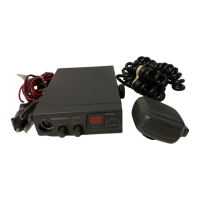
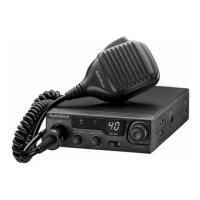
40 Channel Mobile CB Radio
with Channel 9/19 Priority Switch
A
TRC-503
21-1703a.fm Page 1 Thursday, August 5, 1999 4:41 PM

Questions and Answers

  • M
    Matthew GillespieJul 31, 2025
    How to fix Radio Shack CB radio when it has trouble receiving?
    • T
      tmartinJul 31, 2025
      If your Radio Shack CB radio has trouble receiving, there are several things you can check: * Ensure the transceiver power is on. * Make sure the microphone and antenna are securely connected. * Adjust the squelch if it's set too high. * Switch to an active channel. * Release the PUSH TO TALK button if it's held down. * Adjust the volume.
  • L
    Lindsay RodriguezAug 8, 2025
    What to do if Radio Shack CB radio has trouble transmitting?
    • C
      catherinelindseyAug 8, 2025
      If your Radio Shack CB radio is not transmitting, check these items: 1. Make sure the transceiver power is on. 2. Verify the antenna is connected securely. 3. Ensure all connections are free of corrosion, and clean/tighten them if necessary. 4. Firmly press the microphone connector into the jack. 5. Switch to an active channel. 6. Ensure the PUSH TO TALK button is fully pressed.
  • V
    Vicki GomezAug 14, 2025
    Why my Radio Shack Radio does not work at all?
    • J
      Jennifer McculloughAug 15, 2025
      If your Radio Shack radio isn't working at all, verify the following: * Check that the power is connected securely. * Confirm the microphone is properly connected. * If the fuse is blown, replace it with an identical fuse.
  • A
    Angela WilsonAug 22, 2025
    What to do if I cannot select a channel on my Radio Shack TRC-503 Radio?
    • P
      Phillip AndrewsAug 22, 2025
      If you cannot select a channel on your Radio Shack radio, ensure that the OUT CH9 CH19 is set to OUT and that the PUSH TO TALK button is released.

Summary

Product Features

FCC Compliance and Safety

Installation - Mounting Components

Installation - Mounting Cautions and Antenna Connection

Antenna Mounting and Connection

Steps for mounting the CB using the bracket and connecting the antenna, including mounting cautions.

Connecting Peripherals

Antenna and Microphone Setup

Guide to optimal antenna placement, SWR adjustment, and connecting the microphone securely.

Connecting Optional Peripherals and Power

Operation - Receiving and Squelch

Receiving Transmissions and Adjusting Squelch

Steps for turning on the radio, setting volume, and adjusting squelch to reduce background noise.

Operation - Transmitting and Emergency Channels

Transmitting and Emergency Channel Use

Guide on how to transmit, and select emergency channels 9 and 19 for priority communication.

Troubleshooting Common Issues

Problem Diagnosis and Solutions

Solutions for common problems such as no receiving, transmitting, or channel selection issues.

Reducing Radio Noise

Replacing the Fuse

Radio Shack TRC-503 Specifications

General IconGeneral
TypeCB Radio
Channels23
ModulationAM
Power Output4 Watts
Antenna ConnectorSO-239
Power Source12V DC
AntennaExternal
Power SupplyVehicle Battery
Frequency Range26.965 MHz to 27.405 MHz

Related product manuals