EasyManua.ls Logo

Radio Shack TRC-504 - User Manual

Radio Shack TRC-504
24 pages
Print Icon
To Next Page IconTo Next Page
Loading...
Cat. No. 21-1704
OWNER’S MANUAL
Please read before using this equipment.
TRC-504
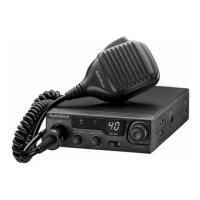
40-Channel Mobile CB Radio
with On-Mic Channel Selector
21-1704.fm Page 1 Thursday, August 5, 1999 1:20 PM

Questions and Answers

  • C
    Courtney CruzJul 31, 2025
    What to do if Radio Shack TRC-504 CB has trouble transmitting?
    • W
      William WilsonJul 31, 2025
      If your Radio Shack CB radio is having trouble transmitting, ensure the transceiver power is on and that the antenna and microphone are securely connected. Check for corrosion on all connections, cleaning and tightening them as necessary. Firmly press the microphone connector into the jack if it seems loose. Make sure the PA/MON/CB switch is set to CB, and that the radio is on an active channel. Also, verify that the PUSH TO TALK button is fully pressed.
  • C
    Courtney FosterAug 5, 2025
    How to fix Radio Shack TRC-504 Radio CB when it has trouble receiving?
    • K
      karennguyenAug 5, 2025
      If your Radio Shack Radio CB is not receiving properly, first, ensure the transceiver power is on and the microphone and antenna are securely connected. Adjust the squelch if it's too high, and make sure the radio is set to an active channel. Confirm that the PA/MON/CB switch is set to CB. Also, adjust the VOLUME and RF GAIN as needed.
  • L
    Lori TaylorAug 9, 2025
    What to do if Radio Shack Radio CB does not work at all?
    • M
      Morgan ReynoldsAug 10, 2025
      If your Radio Shack Radio CB is not working at all, check that the power and microphone are securely connected. If the issue persists, the fuse might need replacing. Replace it with an identical fuse.
  • P
    Peter RomeroAug 15, 2025
    Why is the sound distorted on my Radio Shack TRC-504?
    • T
      Timothy HoodAug 15, 2025
      If the sound from your Radio Shack Radio is distorted, try adjusting the RF GAIN and VOLUME to see if that improves the audio quality.
  • S
    Scott JohnsonAug 20, 2025
    What to do if I cannot select a channel on my Radio Shack TRC-504 Radio?
    • O
      Oscar MurphyAug 20, 2025
      If you cannot select a channel on your Radio Shack Radio, ensure that the PA/MON/CB switch is set to CB and that the PUSH TO TALK button is released. Also, make sure the OUT/CH9/CH19 switch is set to OUT.
  • D
    Dr. Mary FoxAug 26, 2025
    What to do if the PA does not work on my Radio Shack TRC-504?
    • D
      Dawn GillespieAug 26, 2025
      If the PA on your Radio Shack Radio is not working, ensure that a PA speaker is connected securely. Also, verify that the PA/MON/CB switch is set to PA and adjust the VOLUME.

Summary

FEATURES

Dual Channel Controls

Allows tuning channels from transceiver or handset.

Emergency Channel Switch

Quickly switches to Channels 9 or 19 for emergencies.

FCC INFORMATION

INSTALLATION

Mounting the Transceiver

Steps for securely mounting the CB unit in a vehicle or as a base station.

CONNECTING AN ANTENNA

CONNECTING THE MICROPHONE

EXTERNAL SPEAKER CONNECTIONS

USING VEHICLE BATTERY POWER

USING THE TRANSCEIVER AS A BASE STATION

OPERATION BASICS

Receiving Transmissions and Adjusting Squelch

How to tune into transmissions and filter background noise.

TRANSMITTING AND EMERGENCY CHANNELS

Transmitting

Steps for communicating via CB, including microphone usage.

Emergency Channel Usage

How to use Channels 9 and 19 for emergency situations.

USING THE PA AMPLIFIER

TROUBLESHOOTING GUIDE

REDUCING NOISE INTERFERENCE

CARE AND MAINTENANCE GUIDELINES

Radio Shack TRC-504 Specifications

General IconGeneral
BrandRadio Shack
ModelTRC-504
CategoryRadio
LanguageEnglish

Related product manuals