EasyManua.ls Logo

Radio Shack TRS-80 DT-1 - DT-1 Description; DT-1 Keyboard Console Overview

Radio Shack TRS-80 DT-1
68 pages
Print Icon
To Next Page IconTo Next Page
To Previous Page IconTo Previous Page
Loading...
___
D_T_-_l
TRs-ao
®
__
o..
w..;"n..;"e
..
r_'
s_M_a_n_u_a_l
_
1/
Description
of
the
DT-l
Before
you
begin
using
the
DT-l,
it's
important
that
you
become
familiar
with
it.
This
section
will
describe
the
Terminal,
particularly
sorne
of
the
keys
which
you
may
not
be
familiar
with.
Remember
though,
the
description
of
a
particular
key
(e.g.,
what
it
does)
may
differ
from
Host
to
Host.
r==r="T-=-='--
-"----
illHIJCD.1
D
~ll:IH~)JI
-
[iJI
[]]llIJll
---
fa
WIl:J1
~I
"-------------JI
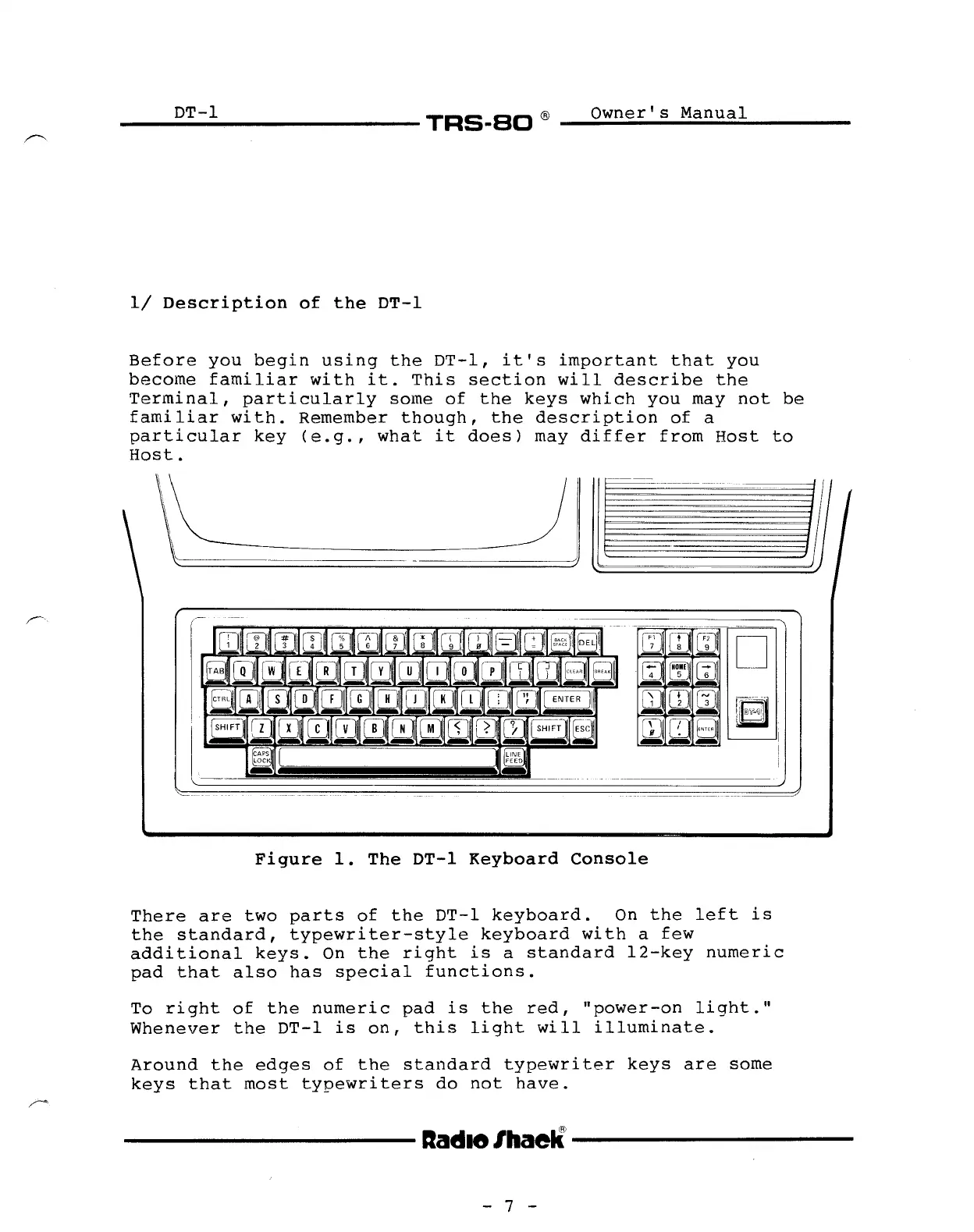
Figure
1.
The
DT-l
Keyboard
Console
There
are
two
parts
of
the
DT-l
keyboard.
On
the
left
is
the
standard,
typewriter-style
keyboard
with
a
few
additional
keys.
On
the
right
is
a
standard
l2-key
numeric
pad
that
also
has
special
functions.
To
right
of
the
numeric
pad
is
the
red,
"power-on
light."
Whenever
the
DT-l
is
on,
this
light
will
illuminate.
Around
the
edges
of
the
standard
typewriter
keys
are
sorne
keys
that
most
typewriters
do
not
have.
----------
Itadle/haell---------
- 7 -

Related product manuals