Need help?
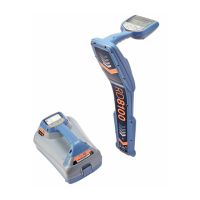
Do you have a question about the Radiodetection SPX RD8100 and is the answer not in the manual?
Regularly check locator operation using eCert for calibration and Enhanced Self-Test.
Description of the purpose of each key on the locator keypad.
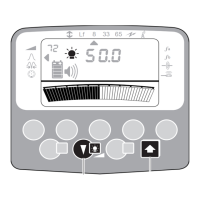
Explanation of all icons displayed on the locator screen.
Description of the purpose of each key on the transmitter keypad.
Explanation of icons for battery, mode, output, and warnings.
Checking software version and initial system setup via menus.
Select antenna modes, frequencies, alerts, and arrow types.
Steps to select 50 or 60Hz frequency for your region.
Set system to match installed battery for performance.
Detailed steps to run a self-test for integrity checks.
Steps to use the feature to recommend a locate frequency.
Connect transmitter directly to the utility for a discrete signal.
Utilize Power Filters in Power Mode for signal discrimination.
Explains 5 modes: Peak, Peak+, Guidance, Broad Peak, Null.
Using RD Manager for locator management, data analysis, and software updates.
Step-by-step guide for pairing the RD8100 locator with a PDA or PC.
Controlling transmitter functions remotely via Bluetooth.
Steps to change transmitter output frequency using the locator.
Using the locator to adjust transmitter power levels and standby mode.
 General
| Brand | Radiodetection |
|---|---|
| Model | SPX RD8100 |
| Category | Security Sensors |
| Language | English |

 To Next Page